- 5 -
- 4 -
™
TRIPOD KIT
BASIC ADJUSTMENTS
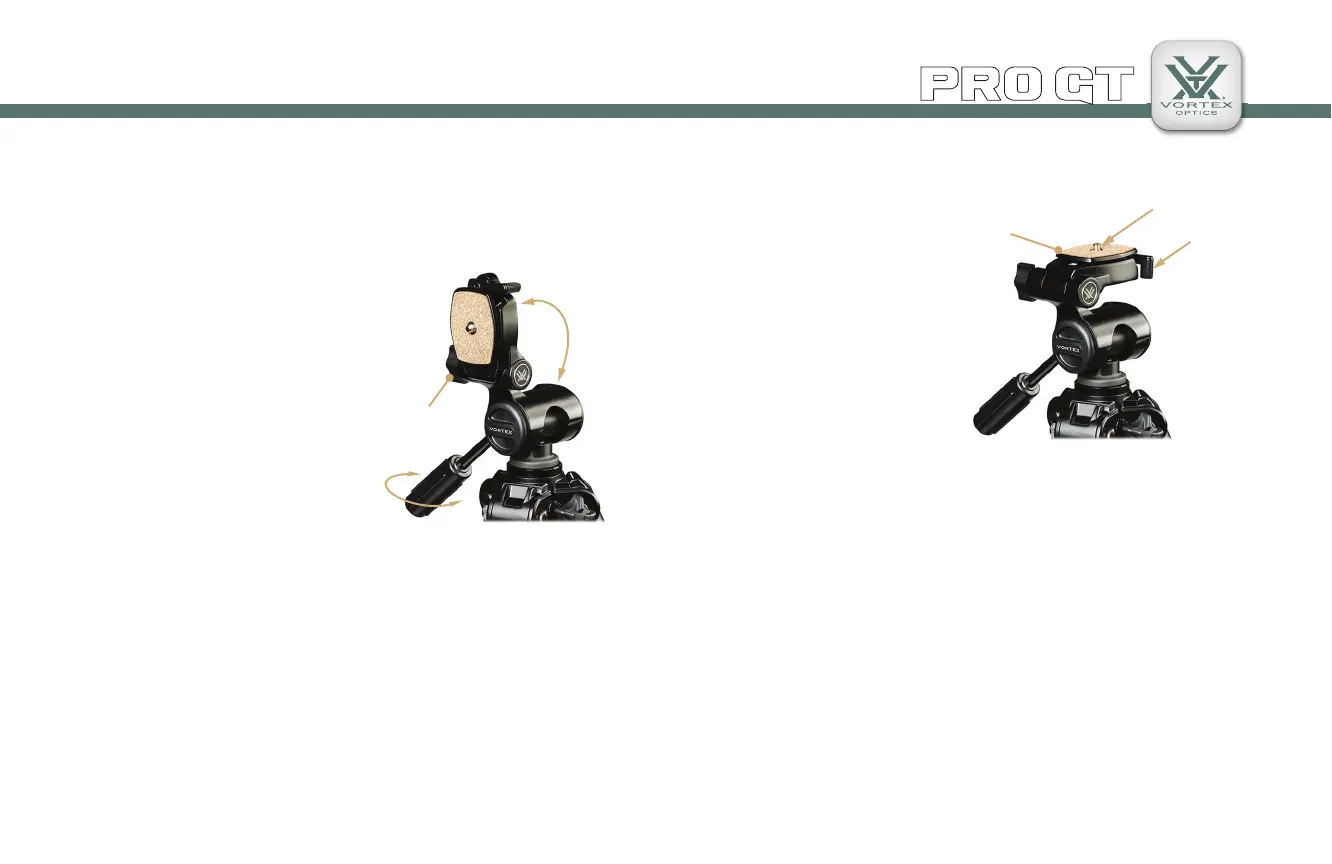
Adjusting the Pan Head
The Pro GT features a 3-way pan head that allows you to quickly
follow the action and easily adjust your viewing angle. For camera
use, this head allows you to choose
between horizontal and vertical
plate alignments.
Pan and Tilt Action
You can control all of the pan and
tilt action with just one hand. To
make any horizontal or vertical
adjustments, twist the handle
counter-clockwise to free the pan
head’s movement. When in desired
position, twist handle clockwise to
lock.
Attaching Optics to the Tripod
1. Flip the plate lever
lock outward to the free
position and remove the
quick-release plate.
2. Attach the plate to your
optic or camera. Be sure
to tighten the tripod mount
bolt from the bottom side
of the plate and fl ip the D
ring so it lies fl at.
3. Place the quick-release
plate back into the plate
holder. Flip the plate lever fully back to the lock position so the
quick-release plate rests securely in the holder.
Control pan and tilt action with the handle.
Plate Angle
Lock
Quick-Release
Plate
Flip the plate lever to lock/unlock plate.
Plate Lever
Lock
Tripod Mount
Bolt
Caution
To prevent unnecessary damage to your optics, take a few seconds to
remove your optic from the tripod before you move to a new location.
Spotting scopes and other optics may become damaged if carried
while attached to the tripod. The quick-release plate makes this
easy—and quick!
TIP: Purchase additional quick-release plates for your optics so it is
easy for you to switch equipment.


 To Next Page
 Loading...