http://amazon.com/Vortexgear or https://vortexgear.us
https://amazon.ca/Vortexgear or https://vortexgear.ca
5. RGB Backlit:
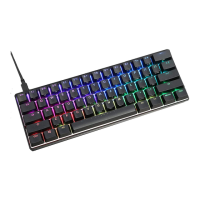
Multi-color dynamic Backlighting
Display single color LED mode
1
Display full color LED mode
2
RGB LEDs edit descriptions:
The RGB Race 3 has a total of 3 layers to edit the LEDs
.
Step 1. Choose a layer (Fn+<,> or ? key) you want to edit.
Step 2. Press Pn + 9 or 0 to enter the edit mode.
Step 3. Press Pn + 1,2 and 3 to mix color
to turn on the
palette and select a color you want.
Step 4. Select a key or a row you want to change color.Step 5. Press Pn + 9 or 0
again to exit edit mode.Step 6. Press Pn + - or Pn + = to display the previously
saved setting.
Interactive mode, Flash vortex mode, Aurora mode
Full key light mode, Breath mode, Vortex mode, Rain drop mode.
Each layer can be edited in single key(Pn+9) or whole row(Pn+0)
The color you mixed will show on Pn key
There are total have 61 kinds of colors on palette.


 To Previous Page
 Loading...