Simple Tips & Trix
Preset effects are dynamic and will sound & feel
differently in the context of different songs.
Try “re-
mixing” a favorite song using different preset & song
combinations (e.g. “TUNED DUO” with a Classic Rock song).
• Enhanced song-styled presets with hard tune
TM
and big
delays or reverbs will be easiest to use.
• Song-styled presets will sound great when used for songs in
different genres.
• If using a PC or home theater system, disable all audio
enhancements (like surround sound). Use a standard stereo
output signal, not a digitally enhanced signal in your device’s
audio settings.
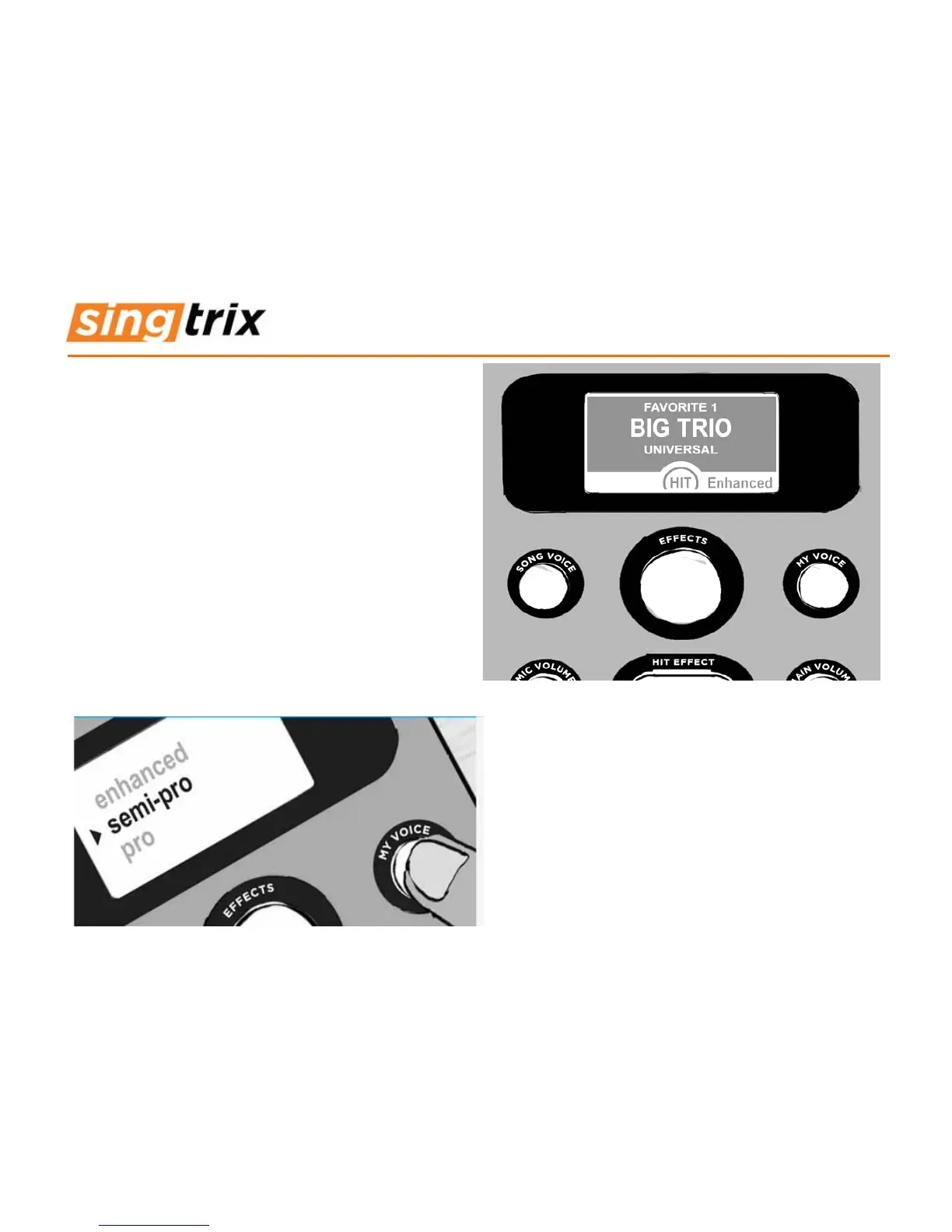
• If pitch correction is too dominant for a song, use the MY
VOICE button and switch to semi-pro level, or use the preset
bank 30-37 named “semipro” (e.g. SEMIPRO TRIO).
• Don’t forget to print extra copies of the preset list for parties-
download from our Support Page at singtrix.com.
As you improve and become more comfortable
singing your favorite songs, challenge yourself by
using each preset’s semi-pro and pro skill levels.
• Slightly increasing the mic volume level, allows for softer
singing while maintaining good
• dynamics & tone control - make sure to sing further from the
mic.
• One preset such as “1) BIG TRIO” can be used for a an
entire session. As you find cool presets, save them to your 1-
10 favorites (hold the MIC VOLUME button down for 5
seconds) and also mark other favorites in the preset effects
book.


 To Next Page