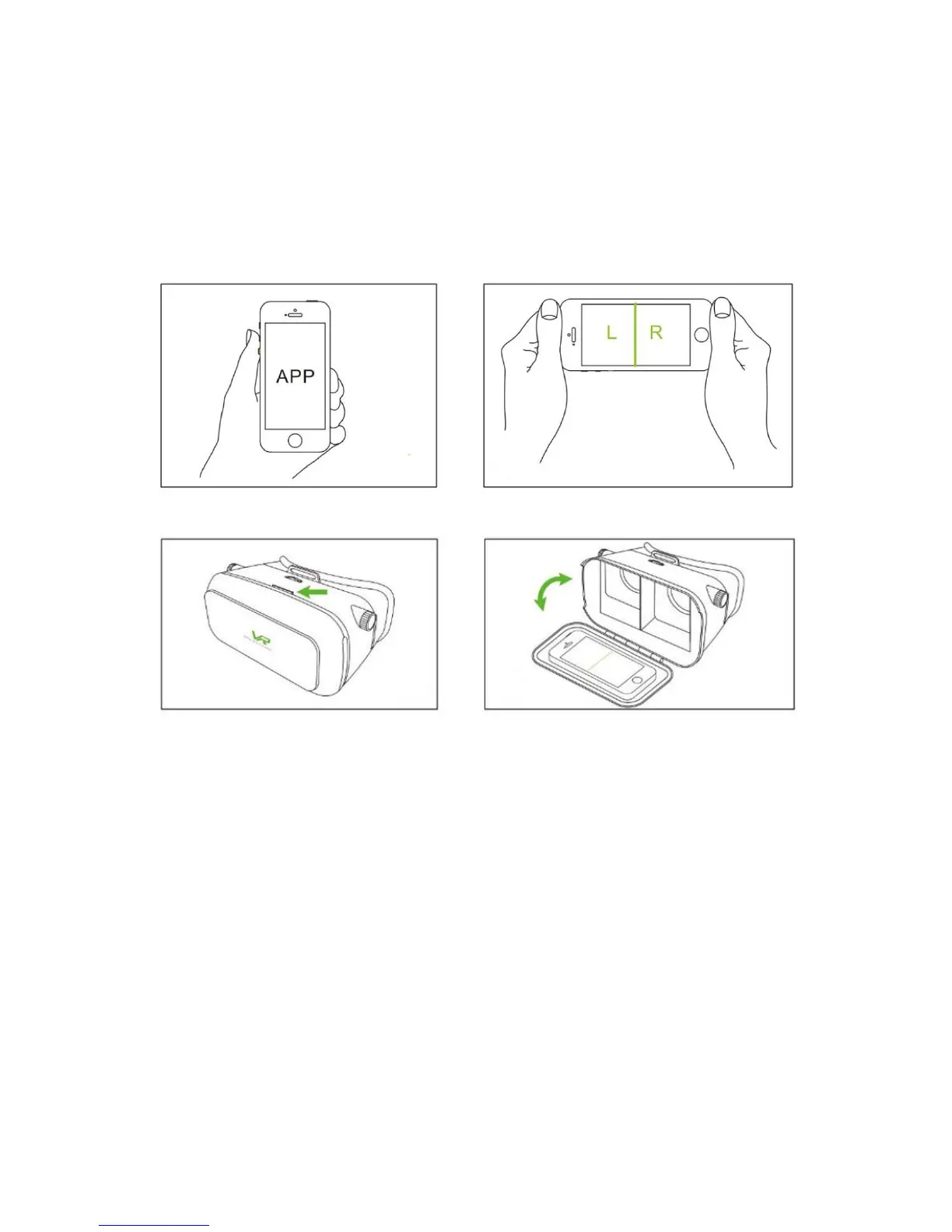
HowtousetheVRGlasses
First of all you need to download the VR App from the Google Play Store or
Apple Store on your device. Test if it supports LeftandRight split screen and fullscreen
display.Thenopenthefrontoftheglassesasshownonthepicturebelow.
Holdyourdevicefacinginwardandplaceitonthecoverandcloseit.
*Note:
Ifthepictureisupsidedown,turnyourhandsetaround.
Adjust the object distance to watch videos without glasses or lens (if you wear it). Focal
adjustmentforthebestclarityofthepicture.


 To Next Page