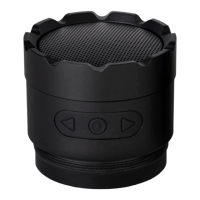
POWER BUTTON
• Short press (2s) to turn on.
• Long press (4s) to power off.
• PLAY/PAUSE: Click once to play
and/or pause your music.
PACKAGING CONTENTS
1x Speaqua Speaker
1x Charging Cable
1x Manual
BLUETOOTH CONNECT
Power on your speaker. It will automatically
enter pairing mode.
Look for “VSSL” in your list of available
devices on your music device (phone, tablet
etc.). Select “VSSL” to complete pairing.
You should only have to do this once. Once
speaker and device have been paired, and
both have Bluetooth turned on, they will
automatically pair.


 To Next Page