Step 3: Add Devices to the APP
1
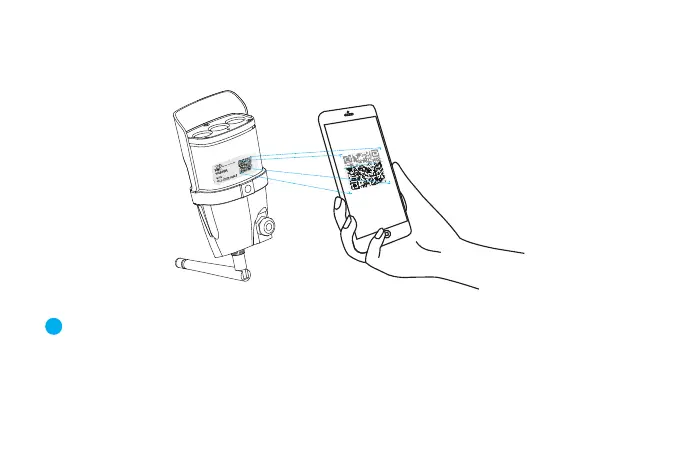
Open the app, click the "+" in the upper right corner , and scan the QR code
on the body of the camera, then follow the prompts on the app to complete
the adding. (Note: For Android phone, it will pop up some system permission
window, please select "Allow")


 To Next Page