DV Mode Usage
How to view recording videos?
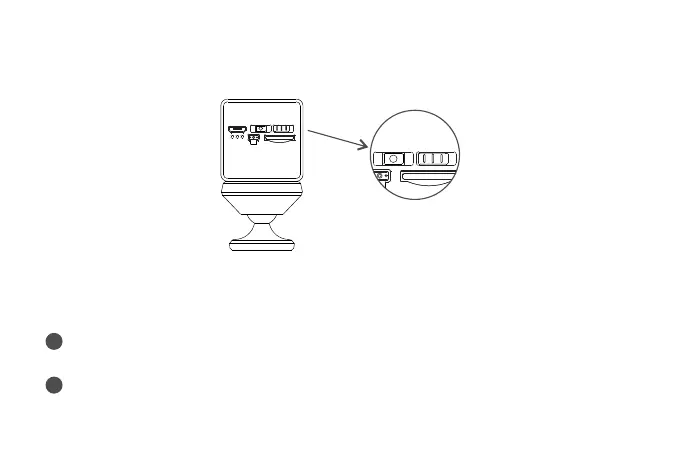
Long press the power switch to turn on the camera, and turn the mode switch button
to “DV”, and insert a TF card for 24 hours of continuous recording.
Turn the mode switch button to WiFi mode, enter the APP, and go to “TF card”
to view.
1
Place the TF card in the card reader and plug the card reader to the computer,
then you can view the video on the computer.
2
DC5 V
ON OFF
TF
RST
WiF i
DV


 To Next Page