Specificationsaresubjecttochangewithoutnotice.
©2017VTechCommunications,Inc.
Allrightsreserved.08/17.VC9312-245_IG_V2.0
Documentordernumber:96-011812-020-100
Google Play
TM
isatrademarkofGoogleInc.
App StoreisatrademarkofAppleInc.,registeredinthe
U.S.andothercountries.
Limited warranty
What does this limited warranty cover?
ThemanufacturerofthisVTechProductwarrantsto
theholderofavalidproofofpurchase(“Consumer”
or“you”)thattheProductandallaccessories
providedinthesalespackage(“Product”)are
freefromdefectsinmaterialandworkmanship,
pursuanttothefollowingtermsandconditions,
wheninstalledandusednormallyandinaccordance
withtheProductoperatinginstructions.Thislimited
warrantyextendsonlytotheConsumerforProducts
purchasedandusedintheUnitedStatesofAmerica
andCanada.
What will VTech do if the Product is not free from
defects in materials and workmanship during
the limited warranty period (“Materially Defective
Product”)?
Duringthelimitedwarrantyperiod,VTech’s
authorizedservicerepresentativewillrepair
orreplaceatVTech’soption,withoutcharge,
aMateriallyDefectiveProduct.Ifwerepair
theProduct,wemayuseneworrefurbished
replacementparts.Ifwechoosetoreplacethe
Product,wemayreplaceitwithaneworrefurbished
Productofthesameorsimilardesign.Wewillretain
defectiveparts,modules,orequipment.Repairor
replacementoftheProduct,atVTech’soption,is
yourexclusiveremedy.VTechwillreturntherepaired
orreplacementProductstoyouinworkingcondition.
Youshouldexpecttherepairorreplacementtotake
approximately30days.
How long is the limited warranty period?
ThelimitedwarrantyperiodfortheProductextends
forONE(1)YEARfromthedateofpurchase.If
VTechrepairsorreplacesaMateriallyDefective
Productunderthetermsofthislimitedwarranty,
thislimitedwarrantyalsoappliestotherepairedor
replacementProductforaperiodofeither(a)90days
fromthedatetherepairedorreplacementProduct
isshippedtoyouor(b)thetimeremainingonthe
originalone-yearwarranty;whicheverislonger.
What is not covered by this limited warranty?
Thislimitedwarrantydoesnotcover:
1. Productthathasbeensubjectedtomisuse,
accident,shippingorotherphysicaldamage,
improperinstallation,abnormaloperationor
handling,neglect,inundation,fire,waterorother
liquidintrusion;or
2. Productthathasbeendamagedduetorepair,
alterationormodificationbyanyoneotherthan
anauthorizedservicerepresentativeofVTech;or
3. Producttotheextentthattheproblem
experiencediscausedbysignalconditions,
networkreliability,orcableorantennasystems;
or
4. Producttotheextentthattheproblemiscaused
byusewithnon-VTechaccessories;or
5. Productwhosewarranty/qualitystickers,product
serialnumberplatesorelectronicserialnumbers
havebeenremoved,alteredorrenderedillegible;
or
6. Productpurchased,used,serviced,orshipped
forrepairfromoutsidetheUnitedStatesof
AmericaorCanada,orusedforcommercialor
institutionalpurposes(includingbutnotlimitedto
Productsusedforrentalpurposes);or
7. Productreturnedwithoutavalidproofof
purchase(seeitem2below);or
8. Chargesforinstallationorsetup,adjustmentof
customercontrols,andinstallationorrepairof
systemsoutsidetheunit.
How do you get warranty service?
ToobtainwarrantyserviceintheUSA,pleasevisit
ourwebsiteatwww.vtechphones.comorcall
1-844-848-8324(1-844-84-VTECH).InCanada,go
towww.vtechcanada.comorcall1-888-211-2005.
NOTE:Beforecallingforservice,pleasereviewthe
user’smanual-acheckoftheProduct’scontrolsand
featuresmaysaveyouaservicecall.
Exceptasprovidedbyapplicablelaw,youassume
theriskoflossordamageduringtransitand
transportationandareresponsiblefordelivery
orhandlingchargesincurredinthetransportof
theProduct(s)totheservicelocation.VTech
willreturnrepairedorreplacedProductunder
thislimitedwarranty.Transportation,deliveryor
handlingchargesareprepaid.VTechassumesno
riskfordamageorlossoftheProductintransit.If
theProductfailureisnotcoveredbythislimited
warranty,orproofofpurchasedoesnotmeetthe
termsofthislimitedwarranty,VTechwillnotifyyou
andwillrequestthatyouauthorizethecostofrepair
priortoanyfurtherrepairactivity.Youmustpayfor
thecostofrepairandreturnshippingcostsforthe
repairofProductsthatarenotcoveredbythislimited
warranty.
What must you return with the Product to get
warranty service?
1. Returntheentireoriginalpackageand
contentsincludingtheProducttotheVTech
servicelocationalongwithadescriptionofthe
malfunctionordifficulty;and
2. Includea“validproofofpurchase”(salesreceipt)
identifyingtheProductpurchased(Product
model)andthedateofpurchaseorreceipt;and
3. Provideyourname,completeandcorrectmailing
address,andtelephonenumber.
Frequently asked questions
Belowarethequestionsmostfrequentlyaskedabout
thewirelessmonitoringsystem.Ifyoucannotfindthe
answertoyourquestioninthebelowtable,visitour
websiteatwww.vtechphones.comorcall
1-844-848-8324(1-844-84-VTECH)forcustomer
service.
TheLEDson
thecamera
unitaretoo
bright.CanI
turnthemoff?
YoucanturnofftheLEDsof
yourcameraunits.Readthe
Online LED indicationsection
underCamera settingsinyour
homeviewer’sappmanualfor
instructions.
Whydoesthe
HDcamera
notrespond
normally?
Trythefollowing(intheorder
listed)forcommoncure:
1.Disconnectthepowertothe
cameraunit.
2.Waitafewminutesbefore
connectingpowerbacktothe
cameraunit.
3.Rebootthehomeviewer.
Whyismy
screeninblack
andwhite?
TheHDcameraunithasa
lightsensorthatmeasuresthe
ambientlight.Whentheambient
lightisdim,suchasduring
nighttimeorinadarkroom,the
cameraactivatesitsinfrared
LEDs,anddisplaysthecamera
viewinblackandwhite.
Whydoesmy
HDcamera
showoffline?
Whyisthe
connectionlost
everynowand
then?
Thecameraunitmaylosethe
Internetconnection.Checkyour
networkandtheroutersetting.
Otherelectronicproductsmay
causeinterferencewithyourHD
cameras.TryinstallingyourHD
camerasasfarawayfromthese
electronicdevicesaspossible.
Other limitations
Thiswarrantyisthecompleteandexclusive
agreementbetweenyouandVTech.Itsupersedes
allotherwrittenororalcommunicationsrelatedto
thisProduct.VTechprovidesnootherwarrantiesfor
thisProduct.Thewarrantyexclusivelydescribesall
ofVTech’sresponsibilitiesregardingtheProduct.
Therearenootherexpresswarranties.Noone
isauthorizedtomakemodificationstothislimited
warrantyandyoushouldnotrelyonanysuch
modification.
State/ProvincialLawRights:Thiswarrantygivesyou
specificlegalrights,andyoumayalsohaveotherrights,
whichvaryfromstatetostateorprovincetoprovince.
Limitations:Impliedwarranties,includingthoseof
fitnessforaparticularpurposeandmerchantability(an
unwrittenwarrantythattheProductisfitforordinary
use)arelimitedtooneyearfromthedateofpurchase.
Somestates/provincesdonotallowlimitationsonhow
longanimpliedwarrantylasts,sotheabovelimitation
maynotapplytoyou.InnoeventshallVTechbeliable
foranyindirect,special,incidental,consequential,
orsimilardamages(including,butnotlimitedtolost
profitsorrevenue,inabilitytousetheProductor
otherassociatedequipment,thecostofsubstitute
equipment,andclaimsbythirdparties)resultingfrom
theuseofthisProduct.Somestates/provincesdo
notallowtheexclusionorlimitationofincidentalor
consequentialdamages,sotheabovelimitationor
exclusionmaynotapplytoyou.
Please retain your original sales receipt as proof
of purchase.
Insert micro SD card into the home
viewer (optional)
Yourhomeviewercomeswith4GBinternal
flashmemorythatallowsyoutostoresnapshots
capturedandvideosrecordedmanuallywithyour
cameras.YoucanalsoinsertamicroSDcard
intothehomeviewerformorestoragecapacity.
• Dependingonsurroundingsandobstructingfactors,
suchastheeffectdistanceandinternalwallshave
onsignalstrength,youmayexperiencereduced
Wi-Fisignal.ToimprovetheWi-Fisignalstrength,
adjustthedistanceordirectionofyourhomeviewer.
Checkwithyourhomevieweragain.
General product care
Tokeepthisproductworkingwellandlooking
good,followtheseguidelines:
• Avoidputtingitnearheatingappliancesand
devicesthatgenerateelectricalnoise(for
example,motorsorfluorescentlamps).
• DONOTexposeittodirectsunlightor
moisture.
• Avoiddroppingtheproductortreatingit
roughly.
• Cleanwithasoftcloth.
• DONOTimmersethecameraunitinwater
anddonotcleanitunderthetap.
• DONOTusecleaningsprayorliquidcleaners.
• Makesurethecameraunitisdrybeforeyou
connectittothemainsagain.
Storage
Whenyouarenotgoingtousethewireless
monitoringsystemforsometime,storethehome
viewer,thecameraunits,andtheadaptersina
coolanddryplace.
Pair new camera unit
Youcanaddorreplaceanycameraunitstoyour
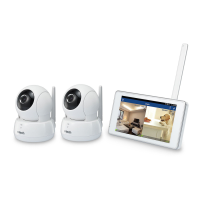
2CameraWirelessMonitoringSystem.
Thewirelessmonitoringsystemfamilyincludes
HDcamerasVC921andVC931,whichcanbe
purchasedseparately.Theycanbecross-paired
withinthefamily,forexample,youcanhavea
combinationofVC921andVC931.Youcanpaira
maximumoffourHDcameraunitstoyourhome
viewer.
Formoredetails,refertotheonlineappmanual
ofyourwirelessmonitoringsystem(VC921or
VC931)intheHelppageofyourhomeviewer.


 To Next Page
 Loading...