13
CONNECTING TO WI-FI
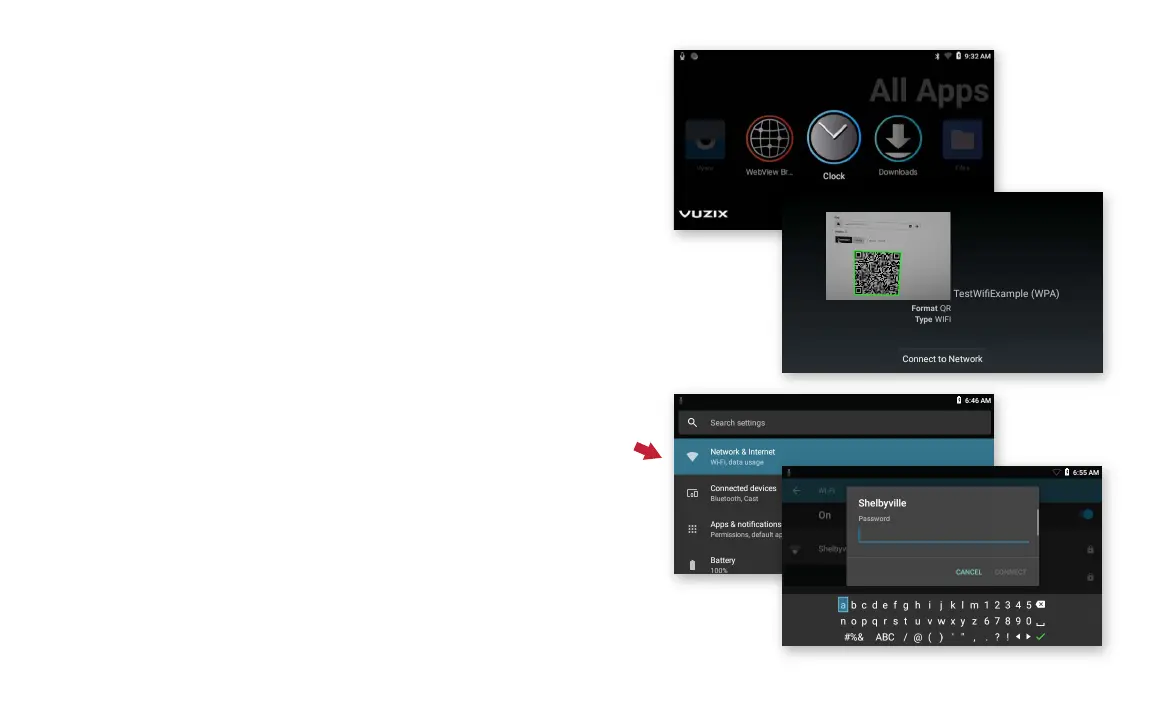
QR code setup:
1. The easiest way to connect to Wi-Fi is by
scanning a QR code — QR codes can be
securely created using vuzix.com/wifiQR from
your phone or computer.
2. Open Scanner from the main carousel.
3. Point the M400 at the phone or computer
screen that is displaying the QR code to scan.
Manual setup:
1. At the home page, select the Settings app.
2. Select Network & Internet then Wi-Fi menu
option and then press the select button to
activate Wi-Fi.
3. Once the list of available networks populates,
highlight the preferred network and select.
4. Enter password using displayed keyboard,
Select Connect.



 To Next Page