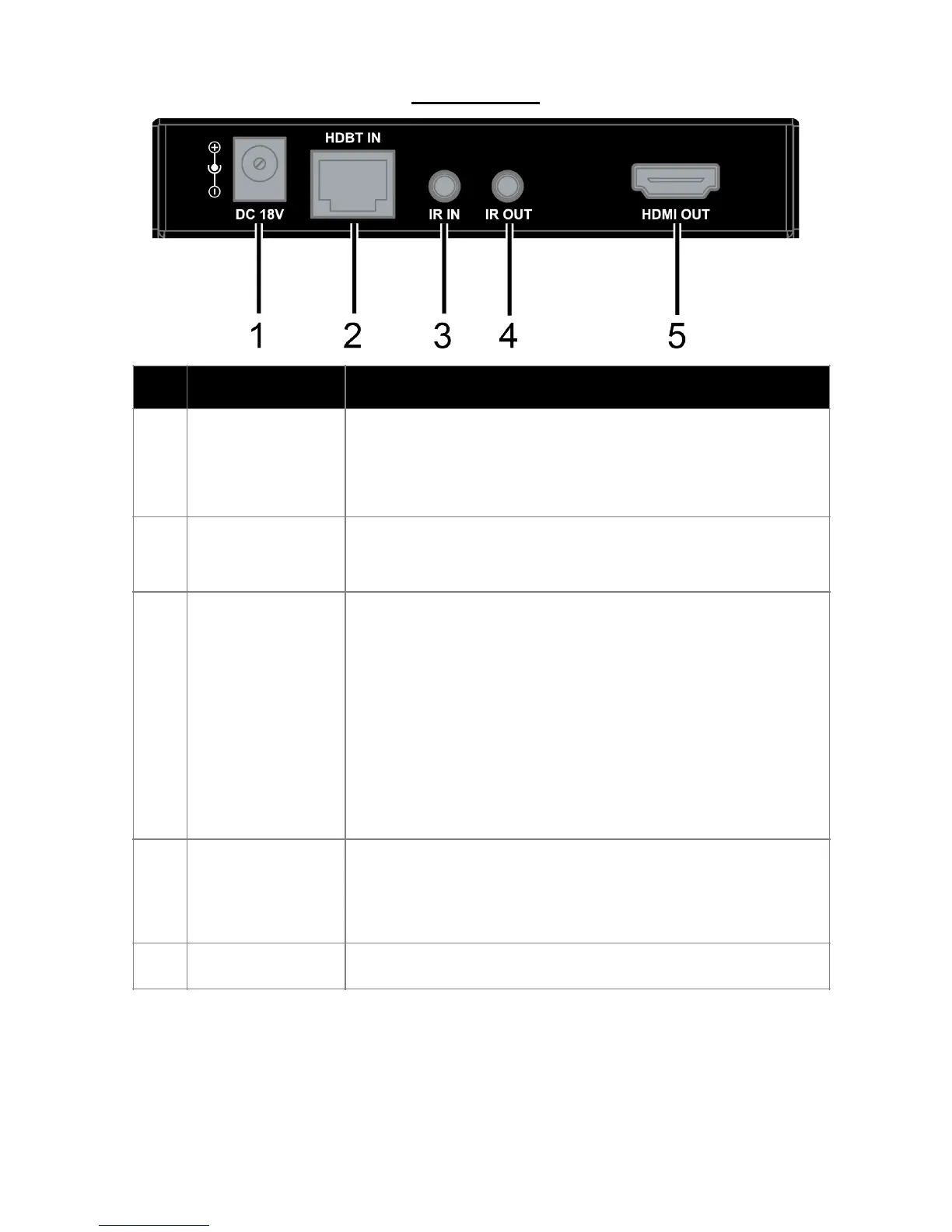
Connects to DC 18V 1A power adapter.
Note: Only one power adapter is needed
at transmitter or receiver side.
Connects to the transmitter via Cat5e/
6/6a/7 cable.
Connects to an IR receiver cable. Secure
the IR receiver with adhesive.
Note: The IR receiver enabled angle and
distance:
Enabled Angel 0° 30°
(Horizontal) 15°
(Vertical)
Distance 8m(Max) 4.5m(Max) 3m(Max)
Connects to an IR emitter cable. Secure
the IR emitter on the IR receiving sensor
of display device with adhesive.
Connects to a HDMI display device.


 To Next Page