Listening music from external audio source
1. Power on the speaker.
2. Using the AUX Cable (93.5mm), connect your external device to
AUX-in port on speaker.
3. It will automatically turn to AUX-in mode, the LED
Indicator turns solid green.
Note: Under AUX-IN mode, skip songs are not workable.
LED lights Mode
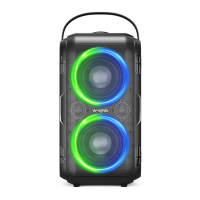
Click' ' button to change the LED Lights modes.
1: Musical Pulse (Pulse from bottom to top)
2: Half-circle rotation (rotate with the rhythm of the music)
3: Full-Cyclic rotation (rotation speed is automatically adjusted with the
size of the music)
4: Flash rhythm (brightness flashes with the beats of the music)
5: Musical Pulse (from the middle to the upper and lower pulse)
6: Turn off the lights
Sound mode
Double click " >
mode button to change the sound mode.
The LED indicator slowly flash blue in outdoor mode, and the LED
indicator keep solid blue in indoor mode.
Remark: This speaker's default mode is indoor.under the USB disk
and TF card mod,LED is green.
06


 To Next Page