User’s Manual—Read before using this equipment
8
©2015 Wagan Corporation. All Rights Reserved.
Wagan Tech and wagan.com are trademarks used by Wagan Corporation.
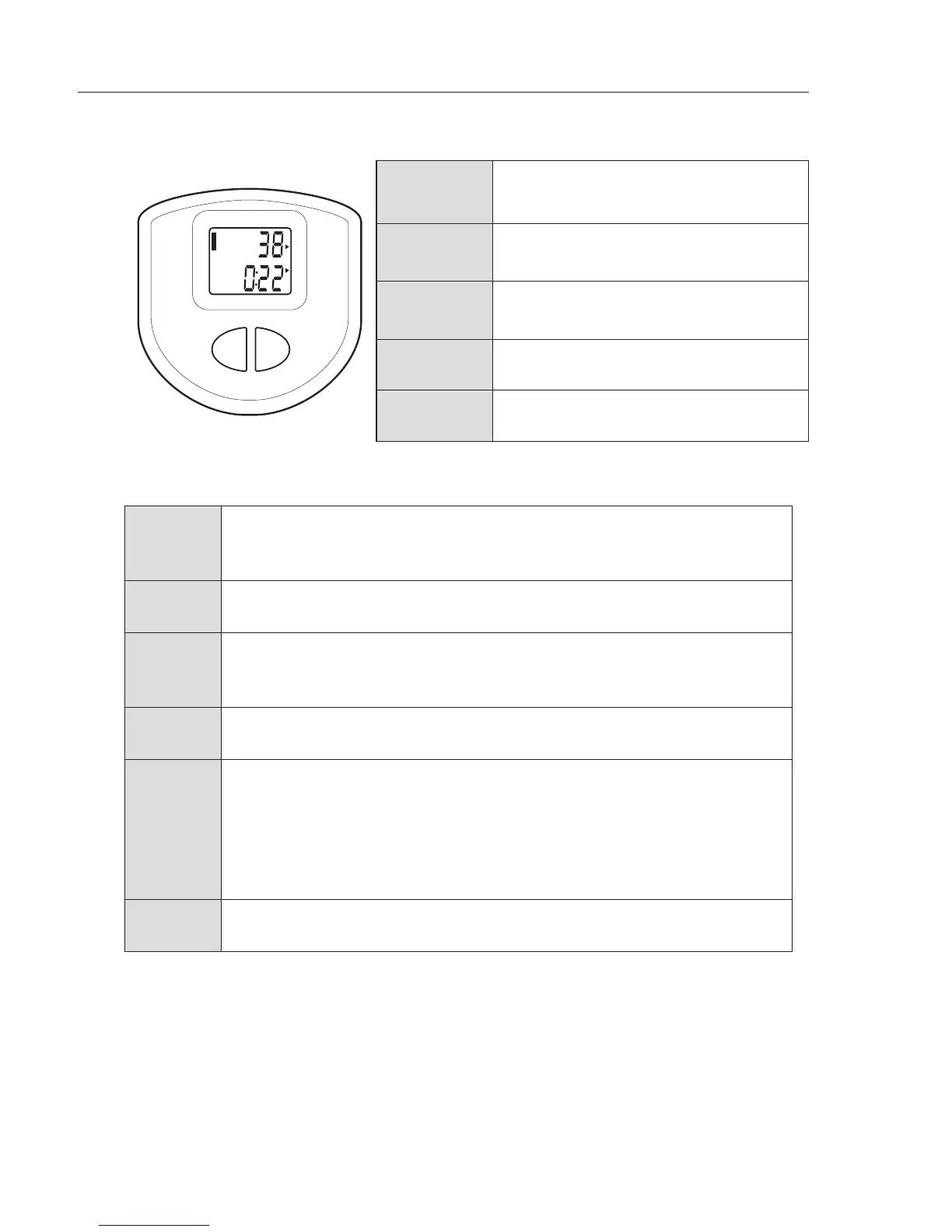
MULTI FUNCTION WORKOUT TRACKER
S
T
O
P
COUNT
STRIDES
/MIN
SCAN
TIME
CAL
M
O
D
E
R
E
S
E
T
COUNT
Steps accumulated since start of
exercise (always visible)
STRIDES/
MIN
Repetitions per minute (estimated)
SCAN
Cycles between:
STRIDES/MIN > TIME > CAL
TIME Workout duration (Time lapse)
CAL Calories burned (estimated)
HOW TO OPERATE THE DIGITAL TRACKER
Start Start exercising by stepping on the pedals. The
power for the display will automatically turn on and
the counter will start tracking your workout.
Function
selection
Tap the MODE button until the function you
would like to have displayed is selected.
Scan When the display is set on the SCAN function, the workout
tracker will be changed every 5 seconds to display TIME >
CAL > STRIDES/MIN, then back to TIME again, and so on.
Stop There is no power-off button. Simply stop stepping. The display will
automatically turn off after several minutes (~4 minutes) of inactivity.
Resume If you have stepped away momentarily and would like to resume
your workout session, DO NOT PRESS ANY BUTTONS. Start
stepping again and the display will automatically come on if it has
turned off while you were away. The tracker will pick up where
you left off and continue counting. If you do not want to continue
the last workout session, you will need to reset the tracker.
Reset Hold the RESET button for 3–4 seconds to
have all function values reset to zero.



 To Next Page