39
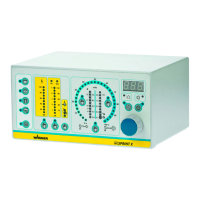
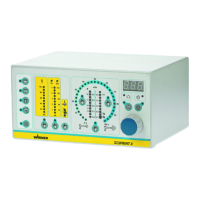
EPG-SPRINT.
%
Tribo Corona
5
4
3
2
1
120
100
80
60
40
30
20
15
10
5
μA
μA
0
10
20
30
40
50
60
70
80
90
100
Ø
12
10
11
9
8
m /h
5.0
4.0
3.0
2.0
6.0
3
5.5
4.5
3.5
2.5
2.2
kV
90
80
70
60
50
40
30
20
10
100
m /h
4.0
3.0
2.0
1.0
0.5
0.4
0.3
0.2
0.1
1.5
%
Tribo Corona
5
4
3
2
1
120
100
80
60
40
30
20
15
10
5
μA
μA
0
10
20
30
40
50
60
70
80
90
100
Ø
12
10
11
9
8
m /h
5.0
4.0
3.0
2.0
6.0
3
5.5
4.5
3.5
2.5
2.2
kV
90
80
70
60
50
40
30
20
10
100
m /h
4.0
3.0
2.0
1.0
0.5
0.4
0.3
0.2
0.1
1.5
EPG
S
P
R
INT
EPG
S
P
R
I
N
T
P_01121
OPERATING MANUAL
VERSION 08/2010 ORDER NUMBER DOC 2305222
6.5.4 SETTING THE HIGH-VOLTAGE
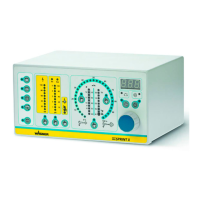
Above the “high-voltage“ button 27 is the “high-voltage“ bar graph display 1. When the
control unit is in the ready position, this display shows the set point as a dot and when
high-voltage is switched on it shows the actual value as a bar.
As mentioned above, the high-voltage can be adjusted between 10 kV - 100 kV. If the value
is set to 10 kV and is then reduced further, the word “off“ appears in the display to indicate
that high-voltage is switched off. As a result, high-voltage generation is not switched on
when powder feeding is switched on.
Procedure:
1. Press the “high-voltage“ button 27 to
adjust the high-voltage. The yellow
LED 28 indicates that high-voltage is
selected.
2. The high-voltage can now be
adjusted using the Universal rotary
controller 24 between 10 kV - 100 kV
with a resolution of 1 kV. The value is
shown in the LED display 19.
28
1
19
24
27


 To Next Page
 Loading...