
 Need help?
Do you have a question about the wallee PAX A920Pro and is the answer not in the manual?
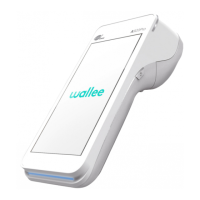
Details the various hardware components and their functions on the PAX A920Pro wallee terminal.
Lists the items included in the PAX A920Pro wallee package, such as the device, charging base, and cable.
Guides through the essential initial setup procedures, including paper roll insertion, charging, powering on, and Wi-Fi configuration.
Explains the process of activating your wallee account on the terminal using a Wi-Fi or mobile data connection.
Details how to process payments, including accepting card or contactless payments and handling optional tips.
Covers the procedures for refunding payments to customers using existing cards or manual entry.
Describes how to call up and print reports for daily transactions, including number of transactions, total tips, and revenue.
Explains the simple process to cancel the most recent transaction using the original payment method.
Details how to pre-authorize or reserve payments, adjust reservations, finalize them, and cancel them.
Provides instructions on how to change the merchant password directly on the PAX A920Pro wallee terminal.
Offers contact details and support resources for any questions or assistance with the wallee terminal.
 General
| RAM | 2GB |
|---|---|
| Printer | High-speed thermal printer |
| Weight | 450g |
| Display | 5.5-inch HD touchscreen |
| Storage | 16 GB |
| Connectivity | 4G, Wi-Fi, Bluetooth |
| Card Reader | Magnetic stripe, contactless |
| Camera | 5MP rear |
| Security | PCI PTS 5.x |

 To Next Page