EN
28
Display Operating Procedure
Description
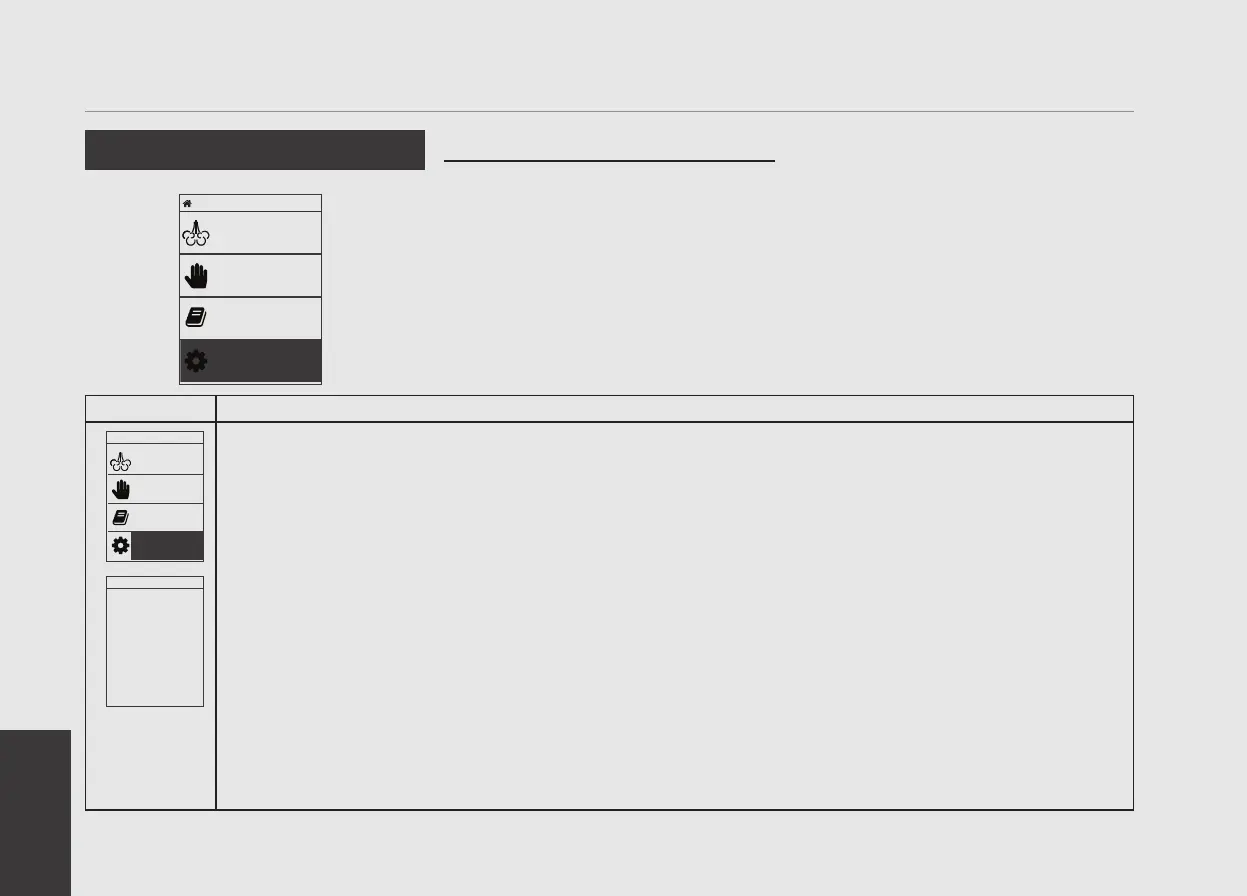
Programming Mode
Accessing Programming Mode
• To change the values of any parameter
the operator must rst enter into the
programming mode.
• There are two levels within the
programming mode that allow the
programming of specic parameters.
• The two programming levels are as
follows:
• Barista Programming - The parameters
contained within this level are ones the
operator can change to affect the quality
of the steam.
No password is required for access.
• Technical Programming - The parameters
contained within this level are ones
the operator can change to affect the
performance of the appliance. These
parameters are set in the factory
and their adjustment requires the
intervention of a service technician La
Programming Mode
Recipe
Steaming
Manual
Steaming
Manage
Recipes
Machine
Conguration
1
Press the Encoder Knob to access the “Barista” programming menu.
Press and hold the Encoder Knob. After about 5 seconds the “Technician” programming display will appear.
(see point 3)
Language
ENGLISH
2
This is the “Barista” programming level. To set the pitcher, to quality steam, and etc..
Recipe
Steaming
Manual
Steaming
Manage
Recipes
Machine
Conguration
Home 0°C


 To Next Page