Charger Operation | 5
2
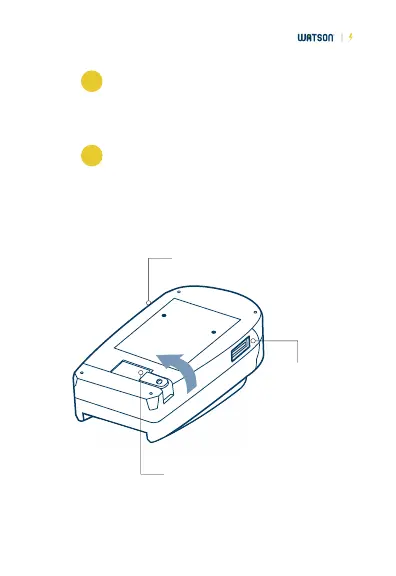
When using AC power, rotate the collapsible
plug out to its operating position. When using
DC power, connect the DC adapter to the
charger.
3
Connect the charger to your AC or DC power
source. When the "charge" light turns red,
charging has begun. When the light is green, a
normal charge is completed. For a full charge,
allow the battery to charge for another hour.
DC connection:
plug in the DC adapter here.
USB power
output: use
to charge
your USB
devices.
Collapsible plug
(Euro plug adapter
attaches here)



 To Next Page