– 10 –
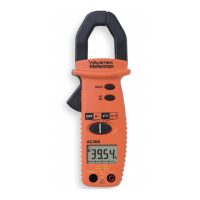
Resistance & Continuity Measurement
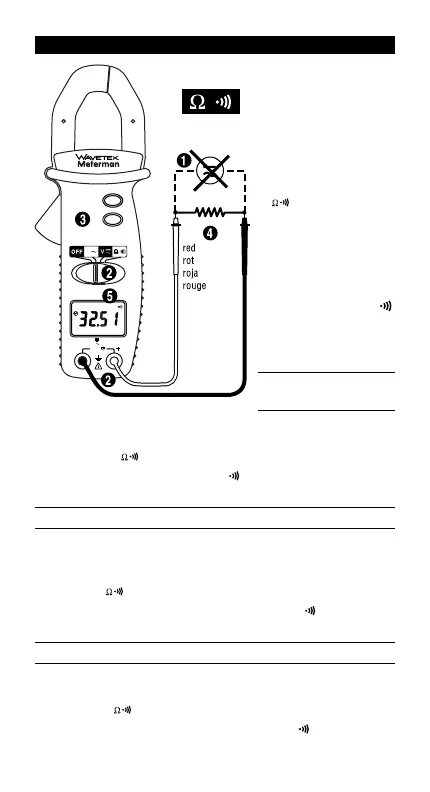
Remove any voltage
from resistance to be mea-
sured and discharge all
capacitors. Connect
the black test lead to the
COM input and the red test
lead to the “+” input.
Set the selector switch
to position.
Connect the probe tips
across the circuit or resis-
tance. Read the mea-
sured value on the display.
The instrument emits a con-
tinuous tone and the
symbol is displayed when
the measured resistance is
< 40 W (AC40A).
D • Widerstands- und
Durchgangsmessung
Jede Spannung vom Meßkreis entfernen und Kondensatoren entladen.
Schwarzes Meßkabel mit COM und rotes mit “+” Eingang verbinden.
Wahlschalter auf stellen.
Meßspitzen mit Meßkreis verbinden.
Meßwert ablesen. Akustisches Signal und Anzeige wenn Widerstand < 40
W
(AC40A).
E • Medida de Resistencia y de Continuidad
Asegúrese de que el circuito sometido a prueba no tiene alimentación.
Descargue todos los condensadores.
Conecte la punta de prueba negra al
terminal “COM”, y la roja al terminal “+“.
Ponga el conmutador deslizante
en la posición .
Conecte las puntas de prueba al circuito.
Lea
el valor de la medida. El zumbador suena (y se mostrará en pantalla)si la
resistencia es menor de 40
W
(AC40A).
F • Mesure de Résistance et de Continuité
Coupez l’alimentation du circuit à mesurer et déchargez les condensateurs.
Connectez le cordon noir à l’entrée COM et le rouge à l’entrée “+”.
Placez
le sélecteur sur .
Connectez les pointes de touche au circuit.
Lisez la valeur affichée. Un signal sonore retentit et est affiché quand
R < 40
W
(AC40A).
CAT III
600V
COM
600V
MAX
400A
CAT 600V
MAX
AC40A
HOLD
AC
DC
A
ACAD40_2.qxd 9/21/00 10:58 AM Page 12


 To Next Page