Power off or no voice playing
The LED quick flash 8 times
when finished audio playing
The LED quick flash 3 times
Battery used up, no sound
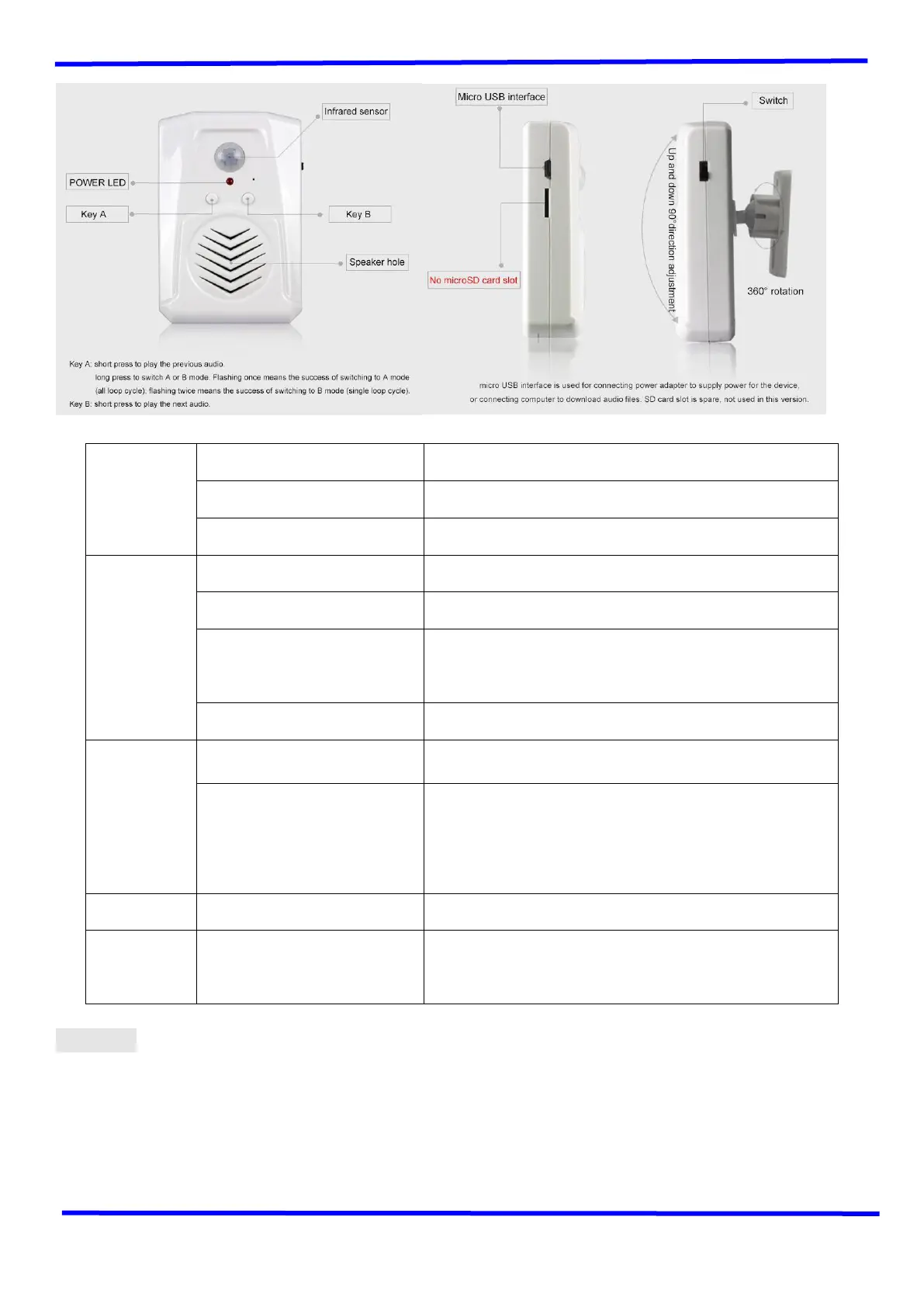
Switch to A/B mode: Indicator light flashes once, means it
is A mode(loop sequence ), flashes twice means it is B
mode(single playback).
Connect DC5V power adapter
or computer
Supply power; download audio files.
★ Note:
1. When switch on, wait about 20S, then it can work normally. Within 4 meters, when people or animal walk by, it will
trigger the sensor to play voice.
2. Each time, after triggering to play voice, you need to wait 2S, then it can trigger again to play voice.
3. Each time, after triggering, go out of the induction range and enter the range again, then it can have a better effect of
the next trigger.
4. In B mode, you only need to short press key A or B to select audition of the triggering voice, need no other


 To Next Page
 Loading...