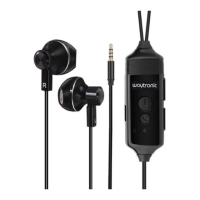
Model: WT-RS1
https://www.waytronicmfg.com/ info@waytronicmfg.com
Bluetooth Cellphone Call Recorder Earphone
WT-RS1 V1.00
User Manual
Dear User:
Thank you very much for use our Bluetooth Cellphone Call Recorder Earphone ,please
read through this instruction carefully before use in order to understand how to operate.
1 How can we charge
?
When you first time use our earphone ,please charge it first ,just use a micro USB cable
to connect earphone and a adapter( DC 5V output) to charge, blue light is on when
charging ,blue light is off when fully charged ,this process will takes max to 2 hours!
2 Turn on and turn off WT-RS1 earphone
Hold answer button for 3 seconds ,you will hear a system voice “Power on”
Hold answer button for 3 seconds ,you will hear a system voice “Power off ”
3 Connect with Bluetooth
When earphone is power on , blue light flash fast means bluetooth is ready ,you only need
to turn on your Bluetooth on your phone ,and find “WT-RS1” to connect,no need
password ,you will hear the system voice “Connected ”if connect successfully .
Note:If you did not connect the Bluetooth in 60 seconds after earphone power on ,
earphone will turn off automatically.
4. How to adjust Volume ?

 Need help?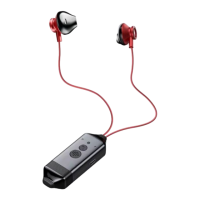

 To Next Page
 General