EasyManua.ls Logo

WBOX Technologies 0E-40BF36WDR - Page 26

Default Icon
92 pages
Print Icon
To Next Page IconTo Next Page
To Previous Page IconTo Previous Page
Loading...
Web Operation
High-Resolution IR Camera
User Manual
24
Issue V1.0 (2018-05-11)
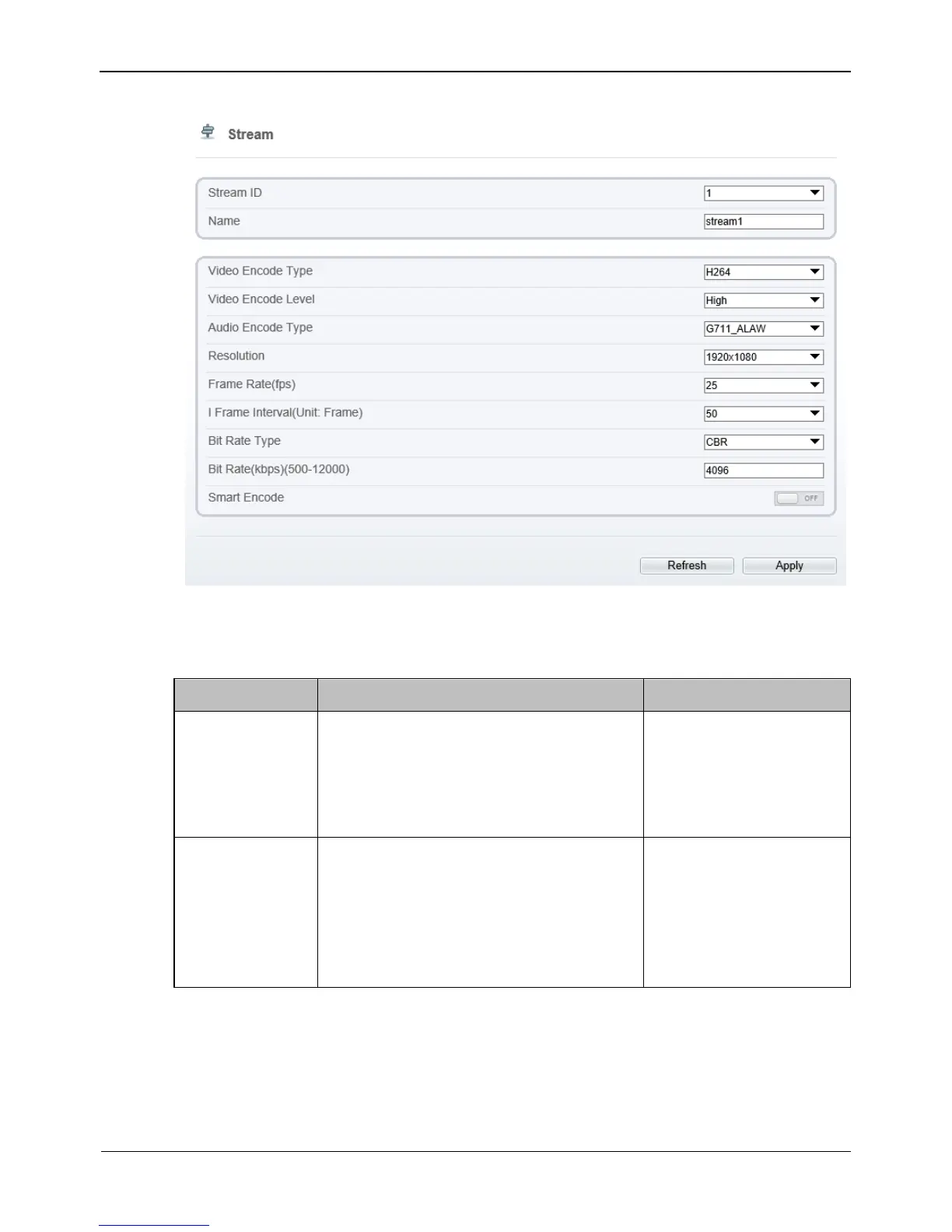
Figure 4-8 Stream Configuration page
Step 2 Set the parameters according to Table 4-3.
Table 4-3 Stream configuration parameters
Parameter
Description
Setting
Stream ID
The device supports 3 streams.
Streams 1 and 2 use the H.264 codec.
The maximum resolution can be set
for streams 1.
[Setting method]
Select a value from the
drop-down list box.
Name
Stream name.
NOTE
The stream name is combined with
Chinese character, number, character and
underline.
[Setting method]
Enter a value manually.
The value cannot
exceed 32 bytes.
[Default value]
stream1

Table of Contents

Related product manuals