Ⅲ. Controls
1. Function keys:
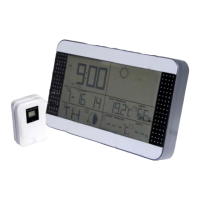
On the top of the unit the buttons are SET, ALARM, UP, DOWN, MAX/MIN and
SNOOZE. On the reverse is CH for Channel and ALERT.
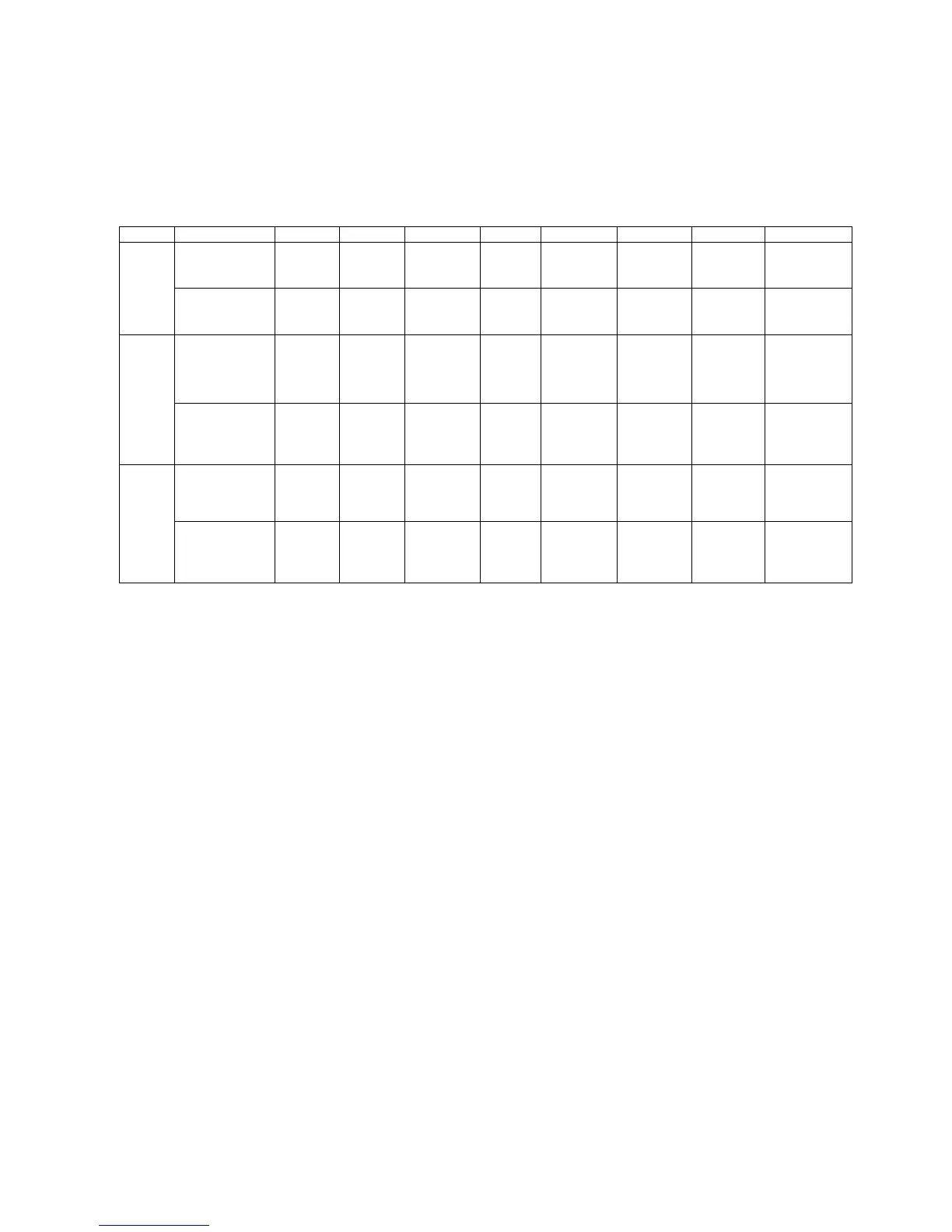
Function/Set SET ALARM UP DOWN MAX/MIN SNOOZE CH ALERT
Press Once On/Off
Alarm
12hr/24hr
Change
Display
Max/Min
Snooze Change
Channel
CH1, 2 ,3
On/Off
Temperatur
e Alert
Mode
HOLD Clock
Setting
Alarm
Setting
Delete
Max/Min
Delete
Saved
data
Temperatur
e Settings
Press Once Confirm
Setting
Ahead
one step
Back
one
step
Time
Set
Mode
HOLD 8 steps a
second
ahead
8 steps
a
second
back
Press Once Confirm
Setting
Ahead
one step
Back
one
step
Alarm
Set
Mode
HOLD 8 steps a
second
ahead
8 steps
a
second
back
2. Standard mode:
1. Hold “SET” for 2 seconds to change time and date.
2. Press “Alarm” to turn on/off.
3. Hold “Alarm” for 2 seconds to set.
4. Press “UP” to change between 12HR/24HR time formats.
5. Press “DOWN” to change between ℃/℉.
6. When ALARM sounds, press “snooze” and alarm will sound again after 5
minutes.
7. Press “Channel” to change the RF, CH1 → CH2 → CH3
8. Hold “Channel” for 2 seconds to reset saved data from the outdoor sensor.
9. Press “Alert” to turn temperature alarm on/off.
10. Hold “Alert” for 2 seconds to set temperature alarm.
11. Press “MAX/MIN” to check the max/min for temperature and humidity.
12. Hold “MAX/MIN” for 2 seconds to reset the temperature and humidity history.
3. Time setting
1. Hold “SET” for 2 seconds to set time.
2. Setting order: year(2000-2099) → month → day → language (En for English) →
hour → minute →time zone→ exit
3. The setting will flash to signal awaiting input.
4. Press “SET” to confirm and to go to the next setting.
5. Press “UP” once to go forward a step; hold for 2 seconds to cycle through at 8
steps per second speed.
6. Press “DOWN” once to go back a step; hold for 2 seconds to cycle back at 8
step per second speed.


 To Next Page
 Loading...