EasyManua.ls Logo

WeatherMate WM20 - User Manual

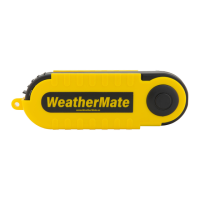
WeatherMate WM20
16 pages
Print Icon
To Next Page IconTo Next Page
Loading...
P.O. Box 1767 (985) 892-3870
Covington, LA, 70434 USA www.weathermate.us
WM20 WeatherMate Manual Version 1.00
English
German
French
Italian
Spanish
Swedish
Dutch
Question and Answer IconNeed help?

Do you have a question about the WeatherMate WM20 and is the answer not in the manual?

Summary

Operating Modes

Changing Units of Measure

Instructions on how to change windspeed and temperature units on the WeatherMate device.

Taking Measurements

Windspeed Average Mode

Select average windspeed readings over 5, 10, or 13 seconds.

Maximum Windspeed Hold

Display the highest windspeed measured since selecting the MAX icon.

Disable Auto-Off Feature

How to disable the automatic shut-down feature to preserve battery.

Low Battery Indicator

Recognizing and addressing the low battery warning icon for accurate readings.

Summary

Operating Modes

Changing Units of Measure

Instructions on how to change windspeed and temperature units on the WeatherMate device.

Taking Measurements

Windspeed Average Mode

Select average windspeed readings over 5, 10, or 13 seconds.

Maximum Windspeed Hold

Display the highest windspeed measured since selecting the MAX icon.

Disable Auto-Off Feature

How to disable the automatic shut-down feature to preserve battery.

Low Battery Indicator

Recognizing and addressing the low battery warning icon for accurate readings.

WeatherMate WM20 Specifications

General IconGeneral
BrandWeatherMate
ModelWM20
CategoryMeasuring Instruments
LanguageEnglish