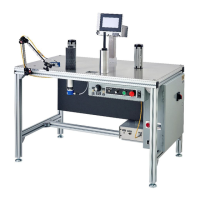
Web Techniques WT-25 Series Troubleshooting Guide
SAFETY WARNING: BEFORE PERFORMING ANY REPAIR TO WEB TECHNIQUES EQUIPMENT, YOU MUST TURN OFF
THE POWER AND DISCONNECT THE EQUIPMENT FROM THE POWER SOURCE.
Power down the machine and unplug from power source. Remove jumper wire & re-attach wire 78 to S1; wire 75 to S2; wire 77 to S3.
Motor Trim Pot Settings: (Note 1: these are not absolute values, more like guidelines to get them back to running)
(Note 2: Adjust these by turning counter-clockwise if past 12 o’clock or turning clockwise if before 12 o’clock)
DECEL 10 to 10:30 o’clock
ACCEL 1 o’clock
MAX 1 o’clock
MIN 9:30 o’clock
CL 12:30 to 1 o’clock
IR 9:30 to 10 o’clock
JOG 5 o’clock
KB MOTOR CONTROL TRIM POTS
This is an attempt to explain the trim pot settings in a KB Motor Control.
Decel - Adjusts deceleration time to go from full speed to stop (Ramp-Down Time).
(Average Setting – 10:00 to 10:30 o'clock).
Accel - Adjusts acceleration time to go from stop to full speed (Ramp-Up Time).
(Average Setting - 1:00 o'clock).
Max - Adjust the maximum amount of voltage allowed for the motor control to send to the motor.
(Average - 1:00 o'clock)
Min - This is the pot to set first. Make sure main speed pot is set to zero. With machine in stop mode, this gets turned up until the motor starts
turning and then turned down until the motor stops turning with no noise.
(Average Setting - 9:30 o'clock)
CL (Current Limit) - Adjusts the maximum amps that goes into the motor control. This setting serves to protect the motor and control against
overloads. (Average Setting – 12:30 to 1:00 o'clock)
IR Comp - this stabilizes the motor control to prevent surging, compensates for variation in amps to the motor control and voltage out to the
motor. Designed to improve load regulation for varying changes in load on the motor, provides minimal speed changes as load changes. NOTE:
This gets turned all the way down for Constant Speed Control machines.
(Average Setting - 9:30 to 10:00 o'clock) (for constant speed machines, turn all the way down to zero).
Jog - Use the factory setting of 5:00 o'clock (when control is in upright position)
These settings are adjusted at the factory and tuned to provide optimal output and service.


 To Previous Page
 Loading...