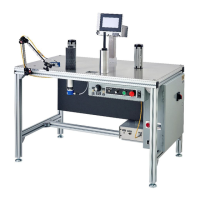
Web Techniques WT-25 Series Troubleshooting Guide
SAFETY WARNING: BEFORE PERFORMING ANY REPAIR TO WEB TECHNIQUES EQUIPMENT, YOU MUST TURN OFF
THE POWER AND DISCONNECT THE EQUIPMENT FROM THE POWER SOURCE.
Main Speed Pot is at Zero, Machine Still Moves
Need to adjust the MIN Trim pot on the motor control, by turning it counterclockwise until the motor stops turning and “is quiet”.
Motor Starts Slow, Perhaps Needs Help to Start
This indicates worn DC motor brushes, and the brushes may need replaced. However, this also indicates a worn armature. If new
brushes do not cure the problem, replace the motor.
Possible worn drive belt, check and replace if necessary.
Need to adjust the ACCEL Trim pot on the motor control, by turning it counterclockwise until approximately 12:30 to 1 o’clock.
Main Speed Pot Won’t Slow Machine Down
Is the machine in idle mode? If so, the main speed pot does not operate during idle mode, or only the idle speed pot.
Switch to standby next to counter, if main speed pot doesn’t operate, replace the pot.
Stop Relay Engages
The machine won't run, and the stop relay engages, then ask them if Preset B is set to zero. Preset B tells the machine to stop. If Preset
B is set to zero then the machine won't run. It is possible the machine thinks it has reached the stop signal.
Machine Won’t Stop at Presets
If the machine won't stop at the presets, meaning it just keeps on running, a few things to check:
First, make sure the Count/Bypass switch next to the counter is not on "Bypass Preset".
Check the K2 Stop Relay to make sure it is plugged in all the way (remove and plug-in a couple of times). (If the machine does not go
into idle mode, check the K3 decel relay make sure it is okay too).
Make sure that the counter is respectively past these two presets in order to make them work for this next test.
If there is 115v between (Preset B output on back of counter) J2-2 and (Ground) J2-4, then preset A is good. If no idle mode then check
for 115v between (Preset A output on back of counter) J2-3 and (Ground) J2-4. If both of these are good then check the wiring between
K2 and K3 relays to see if there is a break. Or perhaps a bad K2 and/or K3 relay(s).
Check the programming in the counter. If unable to correct the programming, then replace the counter.
You can send along a new counter circuit board with the new counter for troubleshooting purposes. Sometimes customers may decide
to keep the new one in order to have a spare. Remind customers that these repair ideas are not absolutes, but trial and error method.


 To Next Page
 Loading...