
 Need help?
Do you have a question about the Webasto PosiCharge DVS 300 and is the answer not in the manual?
Lists related manuals and their part numbers for the charging system.
Explains safety symbols used in the manual (Danger, Warning, Caution, Note).
Provides critical safety instructions before operating or installing the equipment.
Provides contact information for technical assistance and customer service.
Lists available optional components like BMIDs and thermistors for the charging system.
Describes the initial power-up sequence and status screens of the charging system.
Explains how the system conserves energy when no vehicles are connected to charging ports.
Details the step-by-step process of connecting a battery and initiating a charging cycle.
Explains the importance, schedule, and manual control of the battery equalization process.
Describes a feature for fully charging a battery and applying an overcharge for a set period.
Allows setting a predetermined charge rate within a user-defined time window.
Explains how to view real-time charging data and fault/warning messages on the display.
Accessing system menus for data logs, charger configuration, and advanced programming features.
Describes configuring optional external status lights for charger state indication.
Details service requirements for DC power output cables, including inspection and replacement.
Introduction to diagnosing and resolving issues using symptom tables, fault codes, and action keys.
Outlines electrostatic discharge precautions necessary when servicing electronic circuits.
Table linking symptoms to probable causes and recommended actions for diagnosing issues.
Lists specific fault codes, their descriptions, and corresponding action codes for diagnosis.
Detailed descriptions of the actions corresponding to troubleshooting codes and symptoms.
Provides a table to interpret various codes indicating how a charging session was terminated.
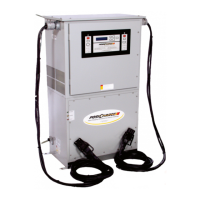
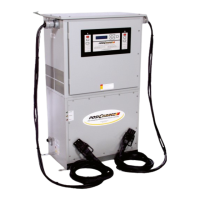
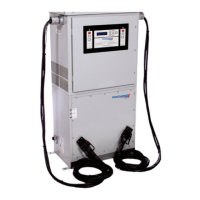
The DVS Fast Charging System, a product line of Webasto Charging Systems, Inc., is an advanced, transistor-based charging system designed for quickly and safely charging industrial batteries. It provides a constant current-constant voltage-constant current (IEI) charge profile, which precisely controls the charge rate by adjusting the current based on the battery's capacity, temperature, and age. This intelligent charging approach simplifies operation, as users can simply plug in any IPC compatible battery, and the system automatically initiates the correct charging process. Upon completion, the system automatically shuts off.
The core function of the DVS Fast Charging System is to rapidly and efficiently recharge industrial batteries while ensuring their longevity and optimal performance. It achieves this through its Rapid Charging Intelligence (RCI), which allows for significantly faster charging compared to conventional chargers without causing damage to the battery. The system continuously monitors battery voltage and temperature to maintain charging within manufacturer recommendations. A key component of its intelligence is the Battery Monitor/Identifier (BMID), a small device mounted on each battery. The BMID communicates essential battery information to the charger, enabling automatic adjustment of the charge profile to match the specific requirements of each battery in a fleet. This eliminates the need for manual charger-battery matching.
The BMID stores crucial data, including an identification number for tracking charge history, battery type code (manufacturer and model), number of cells, ampere-hour capacity, start current limit for optimal charging, State of Charge (SOC) limit for charge termination, internal resistance, maximum ampere-hours and days between equalizations, equalization day of the week, voltage limits for fast charging and equalization, and battery temperature foldback settings. This comprehensive data allows the DVS to tailor the charging process precisely.
The system also incorporates features like Full/Over Charging, which allows for charging to 100% SOC followed by a predetermined overcharge period, utilizing the finish current setting of equalization. This feature can be configured with specific time windows and durations. Reduced Charging is another function, enabling users to set a predetermined current rate during a defined time window, reducing the charging current to a user-selected value if the charger is actively charging within that window.
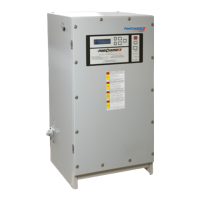
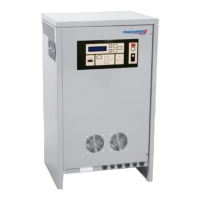
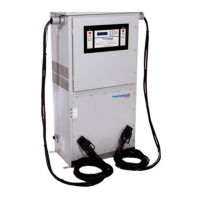
The DVS Fast Charging System offers a user-friendly interface via a keypad and an alphanumeric display panel on its front. This display provides real-time updates on charger and battery status. Four status LEDs offer a quick visual indication of the charge status from a distance: "Charging" (amber, steady lit when connected and charging), "80% Charged" (green, steady lit when SOC is >= 80%), "Charge Complete" (green, steady lit when charge is complete and stopped), and "Equalizing" (green, steady lit when undergoing equalization, flashing when equalization is scheduled). A "Fault/Warning" LED (red) alerts users to fault conditions (steady lit for fault, flashing for warning).
To initiate charging, the user simply connects the battery to a charge port. The charger then establishes communication with the BMID, calculates the current SOC, identifies the correct charging profile, and begins charging. Status screens guide the user through the process, from "Charger Ready Connect Vehicle" to "Starting Fast Charge" and "Charging" with the current SOC percentage. The display periodically updates charging data, including voltage, current, battery temperature, and SOC.
Users can manually stop a charge at any time by pressing the "STOP" button. The system is designed to automatically stop charging and prevent arcing or damage if the battery cables are disconnected without pressing "STOP," though pressing the button first is recommended.
Equalization is automatically performed based on a pre-set schedule stored in the BMID. Users can manually schedule an equalization by pressing the "Equalize" button during a charge (light flashes). To bypass fast charging and start a full equalization at any SOC, the "Equalize" button can be pressed and held for three seconds (light illuminates steadily). A requested equalization can be canceled by pressing the "Equalize" button again.
The system includes an energy-saving idle shutdown feature, where the power server turns off when no vehicles are connected, and displays go dark. It restarts automatically when a vehicle is connected. A temporary override of this mode is available through the master power station menu for maintenance purposes.
Advanced features and configuration menus are accessible via the "Select" key, allowing trained users to configure charge parameters and review recorded data. These menus include:
The DVS Fast Charging System is designed for reliability, but periodic maintenance is recommended to ensure optimal performance and safety. The maintenance schedule primarily focuses on the DC Power Output Cables, which should be inspected and replaced as needed. Only Burton BCDC-0008-P020 or equivalent approved output cables and connectors rated for the full continuous current of the unit should be used.
The manual provides extensive troubleshooting guidance, including tables that relate problem symptoms to probable causes and corresponding actions. Fault codes and charge termination codes are also listed with their descriptions and recommended actions.
Key maintenance and troubleshooting actions include:
The system's built-in safety features, such as folding back charge in response to high battery temperatures and stopping charge if specified thresholds are exceeded, also contribute to its maintainability by preventing further damage.
 General
| Input Frequency | 50/60 Hz |
|---|---|
| Output Current | 300A |
| Efficiency | >90% |
| Operating Temperature | -20°C to +50°C |
| Humidity | 5% to 95% non-condensing |
| Cooling Method | Forced Air |
| Protection Features | Over Voltage, Over Current, Over Temperature, Short Circuit |
| Certifications | CE, UL |




 To Next Page