80 | EN Ⓒ weinor GmbH & Co. KG
Deleting all transmitters from the receiver
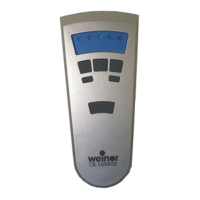
1. Simultaneously engage theSTOP button, the program-
ming P button (on the rear of the device) as well as the
UP button and the DOWN button.
2. Hold this button combination for approximately 6 seconds.
Thestatusdisplaylightsuporange-greenbrieytwice,
followed by red.
The channel in the transmitter (or the group) is also deleted.
4.6.6 Expert settings
DIP switch 1 and 2 on the rear of the device, beneath the
cover: OEM settings
4.7 Replacing the battery
Important:
Replace batteries only with batteries of
identical type.
1. Unscrew the device at the bottom with a suit-
able tool and loosen the cover.
2. Remove the batteries.
3. Insert the two new identical LR 06 (AA) batteries in the
correct position (pay attention to the polarity).
4. Replace the cover and connect to the device using the
screw.
Abb. 5 Changing batteries with the BiEasy 15M Go!
BiEasy-15Mgo_weinor_BA_18112801_DE+EN_0218.indb 80 26.02.2018 13:50:48


 To Next Page
 Loading...