24 | EN Ⓒ weinor GmbH & Co. KG
Ⓒ weinor GmbH & Co. KG EN | 25
Switching the operating mode within a group changes
the "Auto" or "Manual" operating mode for all individual
channels of the group.
A different "Auto"
and "Manual" operating mode in individual
channels is shown in the display with an orange operating
mode indicator and "Automatic icon" and "Manual icon"
side by side.
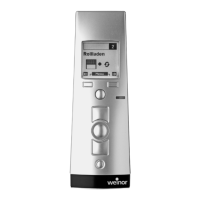
4.4.6 OPEN, DOWN and STOP keys
Actuating the keys initiates a travel operation or a stop in
the channel of the programmed receiver.
4.5 Menu mode
The functions of the device are divided into menus.
In the initial display select "Menu" and then the desired
menu or submenu.
Exiting the current menu level: Select "Back", if
necessary select "Back" repeatedly until you are returned
to the initial display or otherwise press and hold "Back".
Entering text: To enter text (e.g. for naming groups and
channels), you can use the text input to select upper and
lower case, numeric characters, special characters and
accented characters. The selected character set is visually
supported by highlighting the allocated icons in the display.
Dialogue guidance in the display is menu-guided.
All functions can be accessed via the various menus.
See diagram below for a view of the complete menu
structure:
BiEasy 15M menu structure
Administration
Settings
Groups
Channels
All
Reset
Language
Lighting
Channels
Groups
All
Factory setting
Expert
Alle On / Off
INFO On / Off
Version
Product selection
Channel-related allocations (text field 1, text field 2, groups)
Group selection for channel allocation and text input
(text field 1, text field 2, channels)
Resets all group allocations and text fields
Text input (text field 1, text field 2)
on availability >/= 1 channel
Selection of language
}
Intermediate position or
intermediate position 1
(in seconds)
Ventilation /tilting position or
intermediate position 2 or
fabric tautening position (in 0,1 s)
Backlighting of display
Product-related transmitter configuration of
individual channels by runtime, transmission mode,
product pictogramm (channels only)
Setting travel to intermediate position
(factory setting: no runtime)
Setting travel time to
desired postition
(factory setting: no runtime)
Function
Reset all settings to factory settings
(texts, groups, language;
channel settings without channel allocation change)
Information on the software version
Enabele or disable option for selecting
master channel (all individual channels)
Enable or disable periodic query
for position reports during travel
in groups and in master channel
Fig. 4 Menu structure of the BiEasy 15M


 To Next Page
 Loading...