10 Chapter 2 Setup Welch Allyn Vital Signs Monitor 300 Series
To use the AC power adapter:
1. Plug the power adapter into the AC power source.
2. Plug the power adapter connector into the monitor DC port.
Use the AC power adapter to fully charge the battery before using the monitor. (This can
take up to 12 hours.)
• While the monitor is charging, the AC/charging indicator flashes.
•Whenthemonitoris90%charged,theAC/chargingindicator issteady.Tofully
charge the battery, leave the AC power adapter connected for a few more hours.
• After the monitor is fully charged for the first time, the monitor can be powered by the
AC power adapter or by the internal battery.
Caution Fully charge the battery before using the monitor for the first time.
Failure to do so will result in poor battery performance and reduced battery life.
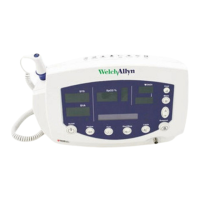
AC Power
Adapter Port


 To Next Page
 Loading...