14
the previous setting option. Set the selected option and move to the next setting with the LB/KG
key.
Enter Setup Mode
Device will enter setup mode by entering PIN 9821.
The scale will cycle through these parameters by pressing LB/KG key. Some of these options may be
turned off or on through the Factory Mode
SOFt displays the software version.
dAtE displays the software release date in US date format (MM.DD.YY)
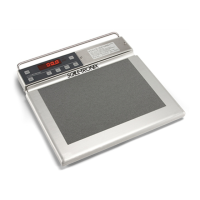
SCALE displays the scale model.
AutOFF* displays the number of seconds before the scale turns off when operating on battery
power. The Cont value prevents the scale from turning off automatically.
ACCont* allows the user to configure the scale to be continuously on if AC power is connected.
This overrides the “AutOff” option.
rES allows the user to configure the resolution the scale will display weights at to the following
options:
0.001 kilograms
0.002 kilograms
0.005 kilograms (Default)
0.010 kilograms
UnitS* allows the user to configure the units the scale will be able to use in typical display mode.
Note: Do not change the scale units if you have purchased the kilogram-only option
bEEPEr* allows the user to configure the external sound. The default is On.
rEcALL allows the user to configure whether the scale can be powered on in recall mode. If set
to off, then Recall key will not operate.
USb* allows the user to send weight data to the computer. ON is to enable usb data transfer
option, OFF is to disable usb data transfer option.



 To Next Page
 Loading...