20
b. Yes: Span calibrate the scale with the user-entered weight and the weight currently on
the scale.
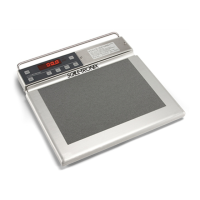
i. Place the calibration weight in the center of the cradle and press the LB/KG key
to begin calibration.
ii. The screen will show US for lbs, press the RECALL key to change to
n¯EtriC(MEtriC) for kilograms. Press the LB/KG key to select units for calibration.
iii. Enter the calibration weight being used. The default for lbs is 40.000 and the
default for kg is 20.000. The REWEIGH key increments and the RECALL key
decrements the selected digit. The LB/KG key moves to the next digit and starts
the calibration after the last digit.
iv. Screen will show SPAN and a number while the calibration is in process and
dONE when the calibration is complete
c. Defult: Span calibrate the scale with the capacity and mV/V taken from the scale type
table.
6. The follow error messages may show:
Reading is outside the scale type’s acceptable mV/V range.
Calibration message failed to send.
There was an error while waiting for the scale to calibrate.
The calibration did not save.
The span weight was greater than the capacity weight of the
scale.
The span weight was outside the acceptable span margin for
the given mV/V reading.
Calibration weight message failed to send.
Does not currently exist.
Calibration weight message failed to send.
There was an error while waiting for the scale to calibrate.
This can occur if the user presses the Zero key while
calibrating, or if the measurement board has an internal
error.
The calibration did not save.
If an error occurs, press the LB/KG key to exit back to the Calibration options. Retry the calibration.
If the error continues see the Disassembly and repair and Troubleshooting sections to identify.
USB Details
For detailed help and information regarding the data output capabilities, consult Welch Allyn for details.



 To Next Page
 Loading...