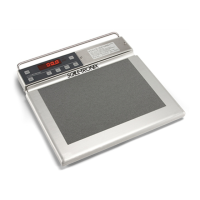
Remove Front Panel. Check to make sure the Black and Red
cable connector is in place. Replace the switch assembly or
the Battery Holder Assembly.
Removing the top plate, the load cells will be visible
1. Enter into “Cal Mode” from the front panel
2. Press and hold the Reweigh button
3. Turn the Scale on
4. Release the Reweigh button immediately
5. Immediately go to the ST logo and press 5 X
6. Display should say “CAL”
7. Press ST Logo two more times to display A/D
Readings
Note: A/D reading without a load. Look for a low stable
weight reading less than 10 lbs and that is not drifting or
unstable.
Unplug each load cell and connect one at a time to see if
your display becomes unstable. This will tell you which load
cell needs to be replaced


 To Next Page
 Loading...