12 Introduction Welch Allyn AED 10 Automatic External Defibrillator
5. Replace the thumbscrews.
6. Cycle power by using the On/Off button.
7. Make sure the system status indicator (see page 17) in the center of the AED 10
indicates that the battery has sufficient charge. If the system status indicator displays
anything other than the Battery Ready icon, the Welch Allyn AED 10 is not ready for
use. See “Troubleshooting” on page 61.
Running a Self-Test
After installing the battery, the Welch Allyn AED 10 automatically powers up and performs
a self-test. At power-up, the following tests are performed: battery, main processor,
memory and program, stuck key, ECG acquisition system, and defibrillator.
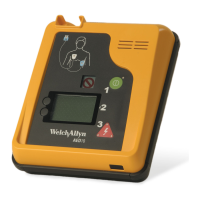
Getting to Know the Welch Allyn AED 10
The Welch Allyn AED 10 is an automated external defibrillation (AED) device. It features a
straightforward, three-step operating design that uses extensive voice and visual prompts
to assist the operator. With continuous ECG and event recording, the Welch Allyn AED 10
maintains a detailed log that can be reported directly to a computer or printer.
Functions
This describes the following Welch Allyn AED 10 features:
•Controls
• Display
• Text Prompts
• Voice Prompts
• Icons
• System Status Indicator
• Infrared Data Port
• Event Documentation
AED10
System status indicator


 To Next Page
 Loading...