Test Procedure for Atlas Safety Test Station
Leakage Test Procedure:
1. Verify that all plugs removed from the Elgar AC Power Source and the Biotek 601 Pro Safety Tester
2. Turn on EW371 Elgar Supply
3. Set Voltage and Frequency (240VAC, 50 Hz) after self-test has completed
Key strokes: [Shift] [Range (300v)] [Shift] [2] [4] [0] [Enter] [V/F (frequency)] [5] [0] [Enter] [Out]
4. Plug in Biotek 601 Pro to front panel and power up Biotek.
5. Toggle [Class/Type] button until Class I, Type CF displayed on Main Menu if necessary.
6 Select Test Standard IEC601-1 by pressing the [More] key and then toggling the [Down Arrow]. Then select with
[Enter]. Once selected press [ESC]
7. Connect ECG leads to Biotek in accordance with color code directly above the top row of sockets: AP/RA (wht),
RL (grn), LA (blk), LL (red), V1 (brn)
8. Select Patient Leakage Current Connections: All-Earth[up/down arrows], Norm Pol [polarity], Earth[earth],
L2[L2], Class I Type CF. (no indicator lights are on in outlet control panel [dual rev. pol, no earth, no L2: all off])
9. Select Patient Leakage #7 to provide AC power to Biotek AC socket.
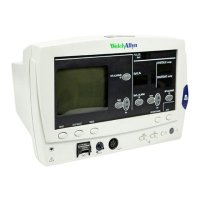
10.Turn on Atlas Monitor.
11.Press Mains on Applied Part #8.
11. Record All-Earth:Norm and All-Earth:Rev result (pass/fail) on Atlas Monitor Test Result form. If failure, then
place unit on Debug shelf.
12.Press Patient Leakage uA #7.
13.Record Patient Leakage result (pass/fail) on Atlas Monitor Test Result form. If failure, then place unit on Debug
shelf.
14.Turn off Atlas Monitor.
15. Remove ECG cable from Atlas.
16.Remove AC cord if no printer and proceed to Dielectric Tests.
17.If printer, continue to Ground Continuity Test.
Ground Continuity Test (Printer Models Only)
1. Press [Earth Resistance] key (#4)
2. Toggle [Test Current] key (#5) until Test Current is 1A if necessary
3. Plug red test lead from Front Panel red jack to green jack
4. Press [Cal] to calibrate test lead
5. After calibration complete, remove red lead from green jack and place red clip on red lead tip
6. Attach red lead from 601Pro to printer motor case
7. Press [Earth Resistance] (#4)
8. Record Earth Resistance result (pass/fail) on Atlas Monitor Test Result form. If failure, then place unit on Debug
shelf.
9. Press [ESC] key
10.Remove red lead from jack and printer motor
11.Disconnect AC cord from Atlas and continue to Dielectric Test.
Leakage Test Procedure after First Run of Day
1. Verify Output Voltage and Frequency of EW371 Power Supply (240VAC, 50 Hz)
2. Plug power cord from Biotek 601Pro into Atlas Monitor.
3. Verify ECG Lead Connection to Biotek 601 Pro.
4. Connect ECG plug from Biotek to Atlas Monitor.
5. Select Patient Leakage #7 to provide AC power to Biotek AC socket.
6. Turn on Atlas Monitor.
7. Press Mains on Applied Part #8.


 To Next Page
 Loading...