Note If the monitor is in the Continuous Monitoring profile, a
Power down options dialog appears with the following
options:
• Save patient data on the device with a temporary Patient ID
• Remove patient data from the device
4. If the Power down options dialog appears, select the desired option and then touch
Power down.
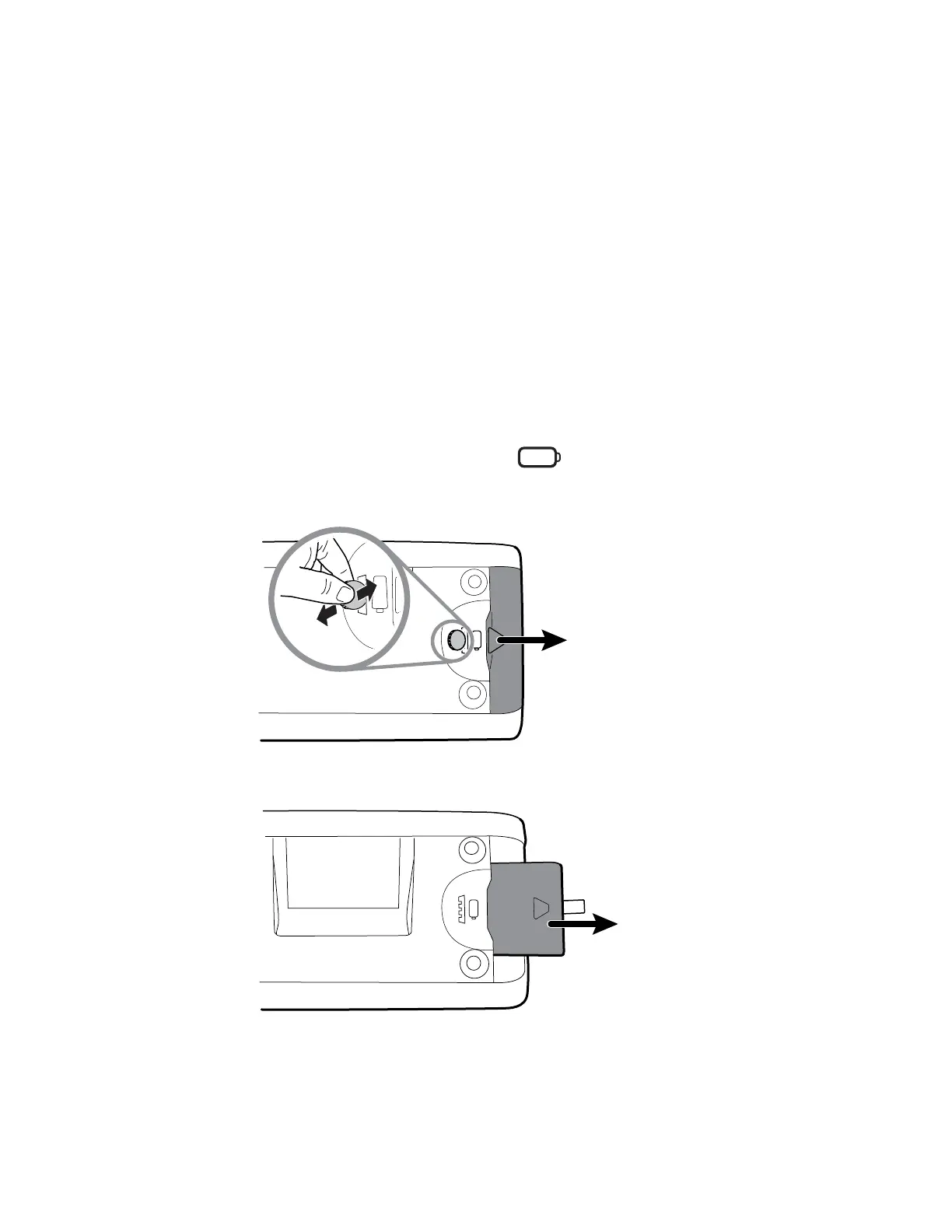
Remove the battery
Before removing the battery, power down the monitor as described in "Power down the
monitor."
1. Turn the monitor upside down to access the battery cover.
2. Locate the battery cover, indicated by .
3. Insert a coin into the slot and push to open. Choose a coin that fits comfortably into
the slot.
4. Pull the battery out by pulling the battery label, which is visible when you open the
battery cover.
Service manual Disassembly and repair 57



 To Next Page
 Loading...










