5
Set-up Instructions
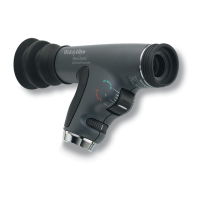
Attaching the Pan Optic
Ophthalmoscope head to a Welch
Allyn Power Source
Align cutouts in the PanOptic
Ophthalmoscope base with lugs on
power source. (The PanOptic
Ophthalmoscope fits all 3.5v Welch
Allyn power sources.) Push in slightly
and turn 90 degrees.
Attaching the Patient Eyecup to PanOptic
Insert eyecup into the patient’s side of
the instrument. Push and twist in one
motion until you feel the two “lock”
together.
See “Accessory and Replacement
Parts List” on page 19 to reorder new
PanOptic Patient Eyecups.
WARNING: Use only PanOptic Patient Eyecups with this
product.
TURN HANDLE
COUNTER-
CLOCKWISE
TWIST


 To Next Page
 Loading...