9
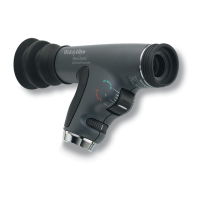
10. Slowly follow the red reflex
toward the patient and into the
pupil. Get as close as possible
for the optimum view (the
eyecup should contact the
patient’s brow).
11. Once you have a stable view of
the fundus rotate the focusing
wheel until you have a crisp
view of the optic disc and the
vessels surrounding it.
Note: For the largest view,
compress the eyecup
halfway against the
patient’s brow. This enables
the user to view the entire
optic disc plus many
surrounding vessels (about
25° field of view) at one
time.


 To Next Page
 Loading...