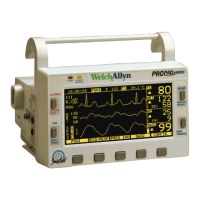
Update to Directions for Use and Reference Guide English Update: Propaq Encore Monitor 7
Inhibit Alarm and Alert Tones Indefinitely: ALL ALARMS
You can suspend potential or current alarm and alert tones for an indefinite period of time.
The tones are disabled until someone re-enables them.
Indefinitely Suspend All Alarm and Alert Tones
1. P r e s s MAIN MENU, SETUP, MORE, MORE, SERVICE, YES, MORE, MORE,
SETTINGS, ALL ALRM, YES.
Resume All Alarm and Alert Tone Capability
1. P r e s s .
Indications During an All Alarms Suspended Period
Note
This feature requires access to the Service Menu. The Service Menu features
are not intended for use during ordinary, routine operation.
WARNING Whenever audible alarm tones are disabled, make sure the patient
is closely observed.
At the Propaq Encore Monitor At the Acuity Central Station
If an alarm or alert occurs during the suspend period, the usual visual alarm and alert indications are displayed.
Propaq monitors connected to Acuity Central Station:
Apnea or life-threatening arrhythmia alarm tones
interrupt the suspend period.
Standalone Propaq monitors: Apnea alarms do not
interrupt the suspend period, and arrhythmias are not
detected.
Apnea or life-threatening arrhythmia alarm tones interrupt
the suspend period.
To resume alarm and alert tone capability, press
.
To resume alarm and alert tone capability, press RESUME.
If an equipment alert occurs during the suspend period, you can acknowledge (dismiss) all indications of the alert by
pressing any key, as usual.


 To Next Page
 Loading...