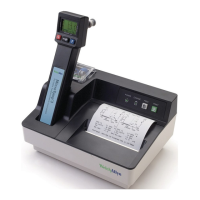
Technical Manual
7
SAFETY & WARNINGS
CAUTION: DISCONNECT THE SYSTEM FROM THE MAINS SUPPLY BEFORE CONNECTING
THE 767 SURETEMP THERMOMETER.
USE THE 767 SURETEMP WITH WELCH ALLYN 3.5V 767 SERIES WALL TRANSFORMER
ONLY.
DO NOT USE IN THE PRESENCE OF FLAMMABLE ANESTHETICS.
Caution: Federal (USA) law restricts this device to sale by or on the order of a physician.
In order to obtain accurate and reliable temperature-taking results and ensure patient safety, it is
important that this booklet be read thoroughly prior to using the instrument. If you have any technical
or clinical questions concerning the thermometer’s use and/or care, please contact our Customer
Service Department at (800) 854-2904.
• Single-use disposable probe covers, available from Welch Allyn, will limit patient cross-
contamination. The use of any other probe cover or the failure to use a probe cover may produce
temperature errors and will invalidate the instrument’s warranty.
• Oral probes (blue ejection button) are to be used for taking oral and axillary temperatures only.
Rectal probes (red ejection button) are to be used for taking rectal temperatures only. The use of
the wrong probe will produce temperature errors.
• The thermometer case is not waterproof; do not drip fluids onto it.
• Do not use this instrument for any purpose other than that specified in this booklet. Doing so will
invalidate the instrument’s warranty.
• Do not use the thermometer if you notice any signs of damage to the probe or instrument.
Contact our Customer Service Department for immediate assistance.
SELF TESTS
Instrument Reset/Self Tests
Note: If a problem is reported with an instrument, it is preferred that the user investigate operation
before the unit is reset. This is because once the unit is reset, the error buffer which stores internal
error messages will be erased.
The M767 Wall Transformer Unit must be turned off for at least 1 second to reset the internal
microprocessor electronics.
1. Remove the probe from the probe storage well and unplug the probe connector from the
instrument by depressing the locking tab and pulling on the connector body. Do not pull on the cord.
2. While watching the display, turn the power to the Wall Transformer unit on and observe the power
up self test.
The self test includes several internal microprocessor self tests, instrument electronics tests and the
display test. If there are internal electronics problems detected by the self tests, the error “|X|” icon
will be displayed and an audible tone will sound. Refer to the Error Codes in the Troubleshooting
section for an explanation.



 To Next Page
 Loading...