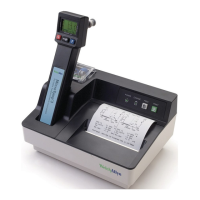
Welch Allyn Model 767
Monitor mode will be indicated on the display by a capital M in the bottom right corner. Monitor mode
provides a direct readout of the probe temperature.
This mode of operation has the ability to provide long term monitoring of a patient’s temperature.
Unlike Normal mode, Monitor mode will follow a temperature as it rises or falls.
The typical slow rise in temperature when Monitor mode is used is due mainly to the mouth
temperature slowly recovering from placement of the colder (room temperature) probe. The probe
itself is actually very fast at rising to the temperature of its surroundings, usually within a few seconds.
Because of this slow mouth recovery, the recommended time to wait before recording a Monitor mode
oral temperature is 3 minutes. The recommended time to wait before recording a Monitor mode rectal
temperature is also 3 minutes. Similarly, the recommended waiting period for an axillary temperature
taken in Monitor mode is 5 minutes.
Monitor mode is also useful in testing the accuracy of the combined probe/instrument system when
the probe can be warmed to a known temperature, as with a Welch Allyn Model 9600 Calibration
Tester or in a circulating water bath set to a known temperature.
Note: The instrument will shut off automatically if the probe temperature remains below
84.0°F (28.9°C) or above 108.0 °F (42.2 °C) for more than 5 minutes.
If Monitor mode does not display expected temperatures or exhibits other problems, refer to the
Troubleshooting section.
Biotech Mode
To enter this special program mode:
1. Ensure an oral or rectal probe is installed in the instrument.
2. Press and hold the Mode button, and at the same time remove the probe from the probe well.
Press the Mode button approximately 2 seconds to move sequentially through the various program
categories. Changes within each category can be made by momentarily pressing and releasing the
Mode button. Upon entering the Biotech mode, the features and selections described in the table
below become available. A number is provided in the flag area to indicate which Biotech category is
displayed.
To exit Biotech mode at any time and return the unit to normal operation, insert the probe into the
probe well. The Biotech mode will automatically time out after 5 minutes of inactivity.
If you cannot enter the Biotech mode, refer to the Troubleshooting section.
Biotech Mode Program Table
Program Category Settings
1. Software Version Observe the display, The display should show “r X.X” where
“X.X” is a number such as 2.3. This can be helpful when
discussing operation with Welch Allyn customer support.
Press the Mode button for more than two seconds to advance
to the Default Algorithm.



 To Next Page
 Loading...