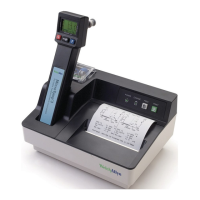
Welch Allyn Model 767
PREVENTATIVE MAINTENANCE
The following suggested preventative maintenance is recommended to maximize uninterrupted
service on the Model 767 Thermometer
Units which are in service on a regular basis should have the following preventative maintenance
performed every 6 months:
1. Visually inspect the thermometer for physical damage which might cause future product failure.
2. Clean the unit per instructions in your Directions for Use manual supplied with the thermometer
and/or per the instructions below.
3. Perform the power up display test, the startup display test, and the Calibration Testing procedure
found in the Model 9600 Operation Manual.
CLEANING AND STERILIZATION
Routine Cleaning
Refer to the Directions for Use for routine cleaning
ETO Gas Sterilization Procedure
When no other form of decontamination such as a germicidal wipe is acceptable, a low temperature,
(not to exceed 120°F(48.9°C)) ETO gas sterilization cycle may be used. Refer to your institution’s
standard operating procedure for the length of the cycle.
This type of sterilization may cause some hazing of glossy plastic surfaces and should be used only
when absolutely necessary.
1. Disconnect the Model 767 Thermometer from the power supply.
2. Ensure that the probe is removed from its storage channel and disconnected from the instrument.
3. Remove any probe covers from the probe cover storage well
4. Wrap the thermometer in a standard sterilization type packaging such as a Baxter Tower Dualpeel
Sterilization Pouch.
5. ETO gas sterilize at a temperature not to exceed 120°F(48.9°C) and aerate.
6. Remove the sterilization packaging.
7. Before applying power, allow the probe and instrument to stabilize to room temperature for at least
one hour.
8. Verify proper calibration of the thermometer and probe using the Welch Allyn Model 9600
Calibration Tester.



 To Next Page
 Loading...