www.Welltec.pro 25
Using the application, you can control the air conditioner from anywhere, as long as you
have an active internet connection on your phone. On the main screen of the application,
the currently set temperature and the temperature in the room are displayed.
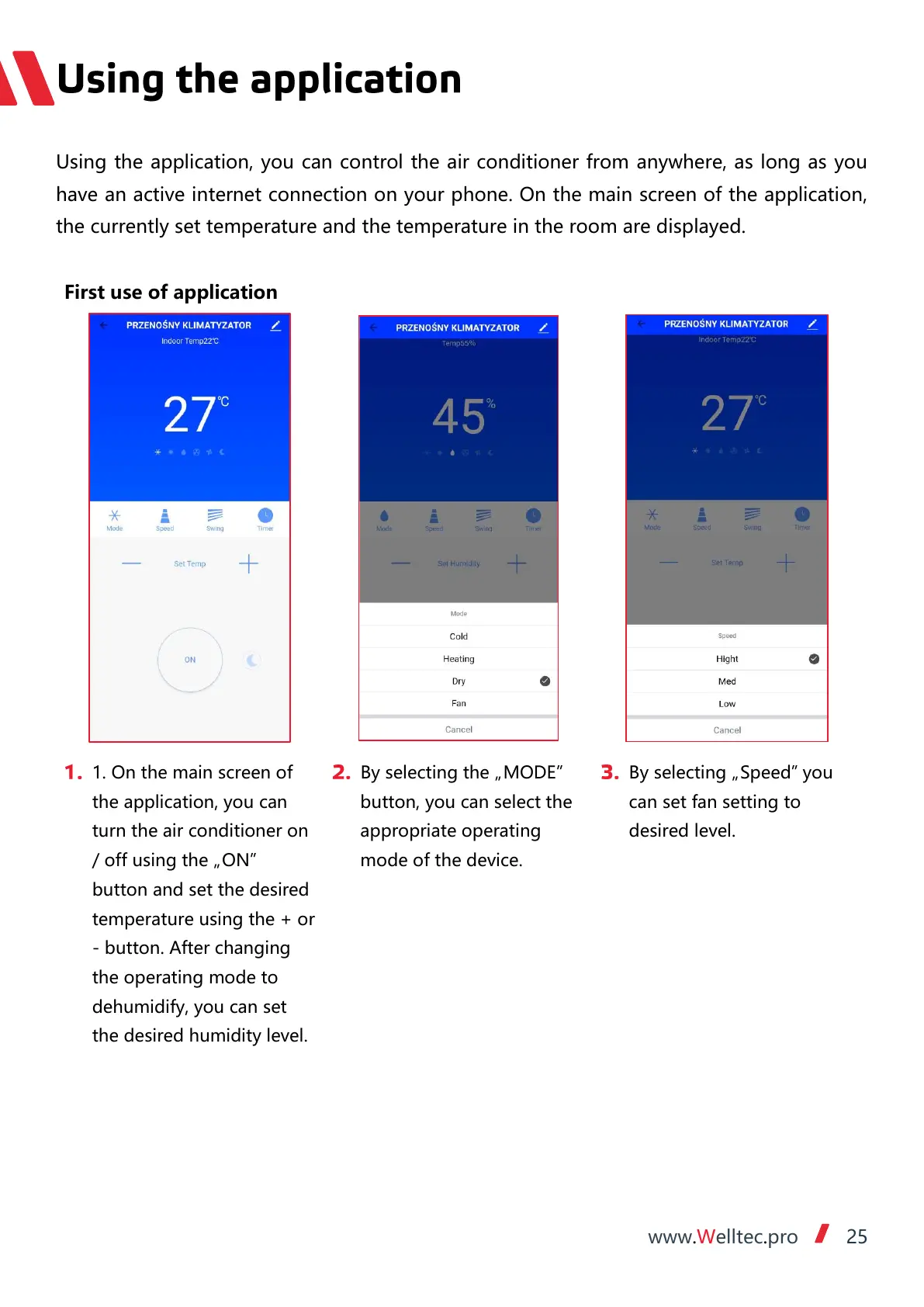
1. On the main screen of
the application, you can
turn the air conditioner on
/ off using the „ON”
button and set the desired
temperature using the + or
- button. After changing
the operating mode to
dehumidify, you can set
the desired humidity level.
By selecting the „MODE”
button, you can select the
appropriate operating
mode of the device.
By selecting „Speed” you
can set fan setting to
desired level.


 To Next Page