11
EN
CLOCK
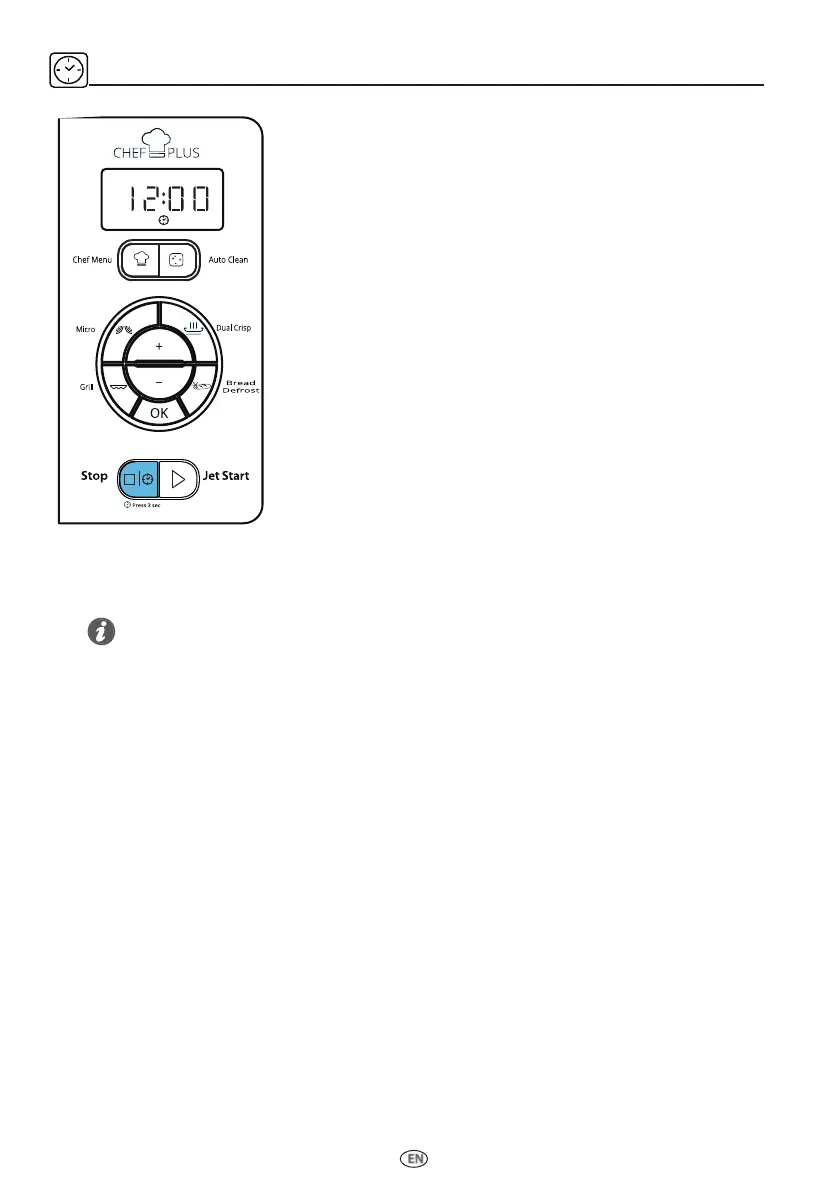
To set the Clock of your appliance:
q
Press & hold the Stop button for 3 seconds.
w
Press the Plus/Minus buttons to set the hours.
e
Press OK/Jet Start button. The minutes will start blinking.
r
Press the Plus/Minus buttons to set the minutes.
t
Press OK/Jet Start button.The clock is set.
Tips and suggestions:
• If the clock has not been set after plug in, the clock will show “12:00”.
• During the setting of the clock, if you press the Stop button or if the setting is not completed after a long
time, the oven will exit from setting mode and the setting will be invalid, display will show “:”.
Note:
The first time the appliance is plugged in (or after a power failure), the product
will automatically enter the Clock Setting mode; in this case, please follow the
above procedure starting from step No.2.
微波
脆焗
自動清洗
燒烤
解凍麵包
停止
極速啟動
長按3秒
食譜


 To Next Page