EasyManua.ls Logo

Whirlpool WGD5050LW - User Manual

Whirlpool WGD5050LW
2 pages
Print Icon
To Next Page IconTo Next Page
Loading...
OPERATING INSTRUCTIONS
WARNING: To reduce the risk of fire, electric shock, or injury to persons, read
the IMPORTANT SAFETY INSTRUCTIONS, located in your appliance’s
Owner’s Manual, before operating this appliance.
QUICK START GUIDE
*Not all features, cycles, and options are available on all models. Appearance may vary.
Explosion Hazard
Keep flammable materials and vapors, such as
gasoline, away from dryer.
Do not dry anything that has ever had anything
flammable on it (even after washing).
Failure to follow these instructions can result in
death, explosion, or fire.
WHIRLPOOL
®
DRYER
STEP 1. CLEAN LINT SCREEN STEP 2. LOAD CLOTHES
STEP 3. PRESS POWER
BUTTON
STEP 4. SELECT THE
DESIRED CYCLE FOR YOUR LOAD*
STEP 5. ADJUST CYCLE
SETTINGS AND OPTIONS, IF
DESIRED
STEP 6. PRESS, HOLD, AND
RELEASE START BUTTON
NOTE: Start button must be held for
1 second to start cycle. Once the
status lights are illuminated, release the
start button.
1
3
4
2
CONTROL PANEL AND FEATURES
1
POWER
Press to turn on/off or to stop/cancel a cycle.
2
CYCLE KNOB
Turn knob to select desired cycle.
NOTE: Your dryer comes with two types of cycles - Sensor drying
cycles and Timed drying cycles.
SENSOR DRYING CYCLES:
Use Sensor Cycles for better fabric care and energy savings.
The dryer senses moisture in the load or air tem perature and
shuts off when the load reaches the selected dryness level.
Note that you cannot adjust the time with these cycles.
TIMED DRYING CYCLES:
In these cycles, you can specify the drying time. Time options
available are 15, 30, 60 and 90 minutes. For a complete list of
all cycles, please refer to the cycle guide document.
3
START/PAUSE
Press and hold the Start/Pause button for 1 second until all
status lights are illuminated, then release to start cycle. Press during
a cycle to pause cycle.
4
CYCLE MODIFIERS (Not all modifiers are available on all cycles)
TEMP
Press to modify the cycle’s available temperature. (Extra Low, Low,
Medium, and High)
TIME (Air Only, Timed Dry, and Quick Dry Only)
Press to modify the time for the timed cycle between
15, 30, 60, and 90 minutes.
OPTIONS
Press to add or remove options for each cycle. Press once to
activate Wrinkle Shield, twice to activate Static Reduce and three
times for both.
WRINKLE SHIELD
If you will be unable to remove a load immediately, activate
this option to add 150 minutes of periodic tumbling to help
reduce wrinkles from forming after the cycle completes.
STATIC REDUCE
This option can help reduce the build up of static cling formed
during the drying process. When activated, this option will
tumble with steam towards the end of the cycle to reduce
static.
MUTE CYCLE SIGNAL
Use this option to turn the end of drying cycle signal on or off.
For detailed installation instruction and maintenance information, winter storage, and transportation tips, please see the “Owners Manual” included
with your machine.
Fire Hazard
No washer can completely remove oil.
Do not dry anything that has ever had any type of
oil on it (including cooking oils).
Items containing foam, rubber, or plastic must be
dried on a clothesline or by using an Air Cycle.
Failure to follow these instructions can result in
death or fire.
A cycle guide for your dryer can be
found online at
www.whirlpool.com. The
document will help identify which
cycle to choose for various load
types as well as the default cycle
options. For example we recommend
using the NORMAL cycle with
Medium temperature for cottons,
linens and mixed-garment loads.
CHOOSING THE RIGHT CYCLE
SPECIALITY CYCLE
WRINKLE CONTROL:
This cycle is designed to help remove or reduce wrinkles, this cycle is
great for permanent press clothing. The dryer cycle uses low heat and
a cool down period to keep clothes from wrinkling or creasing.
STEAM REFRESH:
This cycle is best for reducing wrinkles and odors from dry items. This
cycle is great to refresh a wrinkled garment or when a load was left in
the dryer too long.
*Not all cycles, settings or options are available with all models.
ASSISTANCE OR SERVICE AND ADDITIONAL INFORMATION
For information on any of the following items, a full cycle guide, warranty, detailed product dimensions, or for complete instructions for use and
installation, please visit www.whirlpool.com/owners, or in Canada www.whirlpool.ca/owners. This may save you the cost of a service call.
Register
Product
Schedule Service How To’s &
FAQ
Manuals &
Downloads
Add Service
Plan
Parts Accessories
To speak with a customer service representative or if you have additional questions, call us toll free at
1-866-698-2538 or in Canada call 1-800-807-6777.
You can write with any questions or concerns at:
Whirlpool Brand Appliances
Customer eXperience Center
533 Benson Road
Benton Harbor, MI 49022-2692
Whirlpool Brand Appliances
Customer eXperience Center
Unit 200-6750 Century Ave
Mississauga, Ontario L5N 0B7
Please include a daytime phone number in your correspondence.
Model &
Serial
Number
Tag Location
NOTE: These clothes dryer’s Government energy certifications were
based on the Timed Dry Cycle, Maximum Drying Temperature and
Maximum Dry Time Settings. The as-shipped defaults of Normal Dryness,
Wrinkle Shield off, were used.

Question and Answer IconNeed help?

Do you have a question about the Whirlpool WGD5050LW and is the answer not in the manual?

Overview

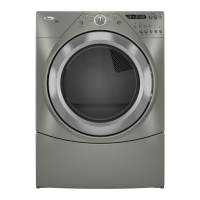
This document describes the Whirlpool® Duet® Dryer, a sophisticated appliance designed for efficient and convenient clothes drying.

Function Description

The Whirlpool Duet Dryer is a high-capacity electric dryer with advanced features for various fabric types and drying needs. It offers multiple drying cycles, temperature settings, and options to optimize drying performance and fabric care. The dryer utilizes a moisture sensor system (AccuDry™) to detect moisture levels and stop the cycle automatically when clothes are dry, preventing overdrying and saving energy.

Important Technical Specifications

The dryer features a control panel with a central cycle selector knob, push buttons for various options, and an LED display.

Cycle Selector Knob:

  • More Dry: For items that need extra drying.
  • Heavy Duty: For sturdy fabrics like jeans or towels.
  • Normal: For everyday cottons and mixed loads.
  • Delicates: For delicate items that require gentle drying.
  • Less Dry: For items that need less drying or will be ironed.
  • Timed Dry: Allows manual selection of drying time (10, 30, 60, 90 minutes).
  • Quick Dry: For small loads that need to dry quickly.
  • Towels: Specific cycle for towels.
  • Bulky Items: For large items like comforters or sleeping bags.
  • Wrinkle Control: Helps reduce wrinkles.
  • Sanitize: For sanitizing items.
  • Steam Refresh: For refreshing clothes and reducing wrinkles.
  • Steam Wrinkle Reduce: Combines steam with wrinkle reduction.

Push Buttons and Options:

  • Power: Turns the dryer on and off.
  • Start/Pause: Starts or pauses the selected cycle.
  • Cycle Signal: Turns the end-of-cycle signal on or off.
  • Temperature: Allows adjustment of drying temperature (Extra Low, Low, Medium, High).
  • Time (for Timed Dry, Quick Dry only): Selects drying duration.
  • Options: Provides additional settings like Wrinkle Shield, Static Reduce, and Damp Dry Signal.

Wrinkle Shield: This option tumbles the load periodically for up to 150 minutes after the cycle ends to help prevent wrinkles. Static Reduce: This option helps reduce static cling by introducing moisture at the end of the cycle. Damp Dry Signal: This option sounds an alert when the load is damp, allowing removal of items for ironing or air drying.

Usage Features

Starting a Cycle:

  1. Press the Power button.
  2. Select the desired cycle using the cycle selector knob.
  3. Adjust temperature and select any desired options.
  4. Press the Start/Pause button to begin the cycle.

Choosing the Right Cycle: The manual provides guidance on selecting the appropriate cycle based on fabric type and desired outcome.

  • Heavy Duty: For sturdy items like jeans, work clothes, and towels.
  • Normal: For cottons, linens, and mixed loads.
  • Delicates: For delicate items, lingerie, and sheer fabrics.
  • Bulky Items: For large items that absorb a lot of water, such as comforters, sleeping bags, and pillows.
  • Timed Dry: Use for small loads or when specific drying time is preferred.
  • Quick Dry: For small loads that need to dry quickly.
  • Wrinkle Control: For items that need wrinkle reduction.
  • Sanitize: For sanitizing items, especially useful for bedding, towels, and baby clothes.
  • Steam Refresh: For refreshing dry items, removing wrinkles and odors.
  • Steam Wrinkle Reduce: For reducing wrinkles on dry items using steam.

Specialty Cycles:

  • Wrinkle Control: Designed to help remove or reduce wrinkles.
  • Sanitize: Provides extra-hot drying to kill common household bacteria.
  • Steam Refresh: Uses steam to refresh dry items and reduce wrinkles and odors.

Maintenance Features

Lint Screen Cleaning: The lint screen should be cleaned before every load to ensure optimal drying performance and prevent fire hazards. The screen is located inside the dryer door opening and can be easily pulled out for cleaning.

General Maintenance:

  • Fire Hazard Warning: Do not machine wash or dry items soiled with vegetable oil, cooking oil, or other flammable substances, as these items can spontaneously ignite.
  • Explosion Hazard Warning: Keep flammable materials and vapors away from the dryer.
  • Vent System: Regularly inspect and clean the dryer's exhaust vent system to prevent lint buildup, which can be a fire hazard. The manual recommends professional assistance for vent cleaning.
  • Assistance and Service: Whirlpool provides customer support through their website (www.whirlpool.com), phone numbers, and a network of authorized service providers. The manual includes sections for scheduling service, ordering parts, and accessing FAQs.

Troubleshooting: The manual includes a "Prevent a problem" section with common issues and solutions, such as checking the power supply, ensuring the door is closed, and cleaning the lint screen.

Warranty Information: The manual provides details on the product warranty, including coverage for parts and labor, and contact information for warranty service.

This Whirlpool Duet Dryer is designed to offer a comprehensive and user-friendly drying experience, combining advanced technology with practical features for modern households.

Whirlpool WGD5050LW Specifications

General IconGeneral
BrandWhirlpool
ModelWGD5050LW
CategoryDryer
LanguageEnglish

Related product manuals