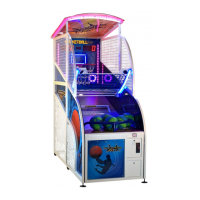
You can get this game at www.wik.pl
OP 28 BALL OUTLET TEST
• enter this mode (#) for a ball outlet test
OP 29 LED DISPLAY TEST
• enter this mode (#) for LED displays test
OP 30 DEFAULT SETTINGS
• allows a user to restore the machine’s default settings
OP 31 SOUND FACTORY
• allows a user to restore the default sounds
OP 32 TYPE OF MUSIC
• type of music played during the game or demo mode
• choose from 10 types of melodies (0-10) in the demo mode
• choose from 9 types of melodies (0-9) in the game mode
• set 0 to play melodies randomly
OP 33 RESERVED
not active
OP 34 CUSTOMER NUMBER not active
OP 35 SERIAL NUMBER
not active
• set by the manufacturer
OP 36 TIME SETTINGS
• allows a user to set the time
OP 37 DATE SETTINGS
• allows a user to set the date
OP 38 MENU CODE PIN
• user can change factory PIN to a personal code
• factory PIN is set to 1 1 1 1
• WARNING! After change, restoring to a factory PIN is not possible. In case of
losing your personal PIN contact the manufacturer.
Możesz nabyć to urządzenie na www.wik.pl 20


 To Next Page
 Loading...