26
EN
INSTRUCTION MANUAL · AIR CONDITIONER
CLEAN FILTER
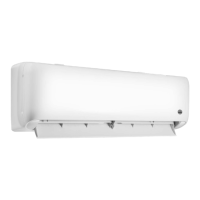
1. Open panel
Pull out the panel to a certain angel as shown in
gure.
2. Remove lter
Remove the lter as indicated in the gure.
3. Clean lter
Use dust catcher or water to clean the lter. When
the lter is very dirty use water (below 45°C) to
clean it, and then put it in a shady place and cool
place to dry.
4. Install lter
Install the lter and then close the panel cover
thightly.
Warning:
• The lter should be cleaned every three months. If there is much dust in the
operation environment, clean frequency can be increased.
• After removing the lter, do not touch ns to avoid injury.
• Do not use re or hair dryer to dry the lter to avoid deformation or re
hazard.
CHECKING BEFORE USE-SEASON
1. Check whether air inlets are blocked.
2. Check whether air switch, plug and socket are in good condition.
3. Check whether lter is clean
4. Check whether drainage pipe is damaged.
CHECKING AFTER USE-SEASON
1. Disconnect power supply.
2. Clean lter and indoor unit’s panel


 To Next Page