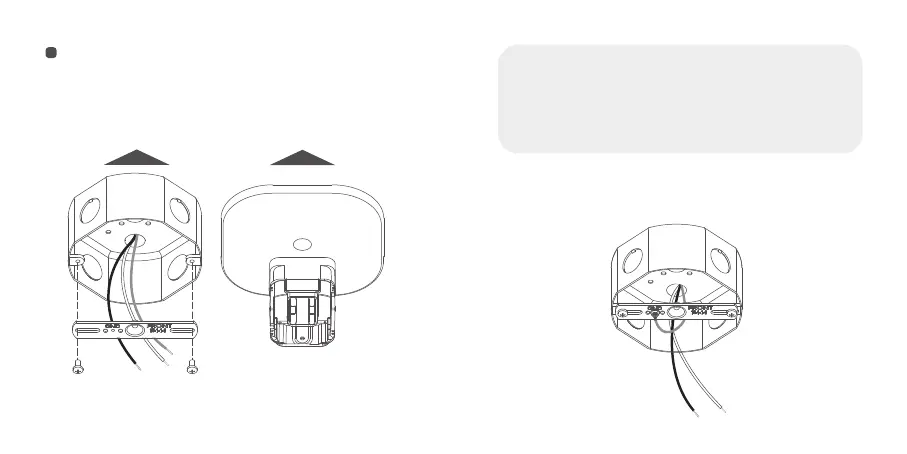
1. Install the new metal bracket into the junction box.
Align the two screw holes and tighten the bracket
NOTICE:
-The concave direction of the mount bracket is the direction of your
camera field of view.
-The metal bracket needs to be perpendicular to the concave
direction of the mount bracket.
-The wires need to come out from behind the metal bracket.
Upside down mount
FORWARD
wire(yellow or green) to the metal bracket.
EN
27
EN
28



 To Next Page