5
Troubleshooting
Issue Possible Cause Solution
Vin indicator unlit on power
inserter
• No DC power into power inserter • Ensure supplied power adapter is plugged into outlet and
that outlet is providing AC power
• Ensure power adapter is connected to power inserter
Receiver indicator unlit on power
inserter
• No communication between
receiver and power inserter
• Ensure 3’ coaxial cable between receiver and power
inserter’s RECEIVER port is properly connected
• For DIRECTV users, ensure receiver is compatible and
configured correctly. See page 3 for configuration instructions
• If cable is connected and receiver is properly configured, try
different piece of RG6 coaxial cable
Receiver indicator faintly lit or
flickering on power inserter
• Intermittent communication
between receiver and power inserter
• Replace 3’ coaxial cable piece with a different piece RG6
coaxial cable
Antenna indicator unlit on power
inserter
• No communication between power
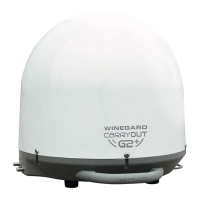
inserter and Carryout G3 antenna
• Ensure included 25’ coaxial cable is being used and is
properly connected between power inserter’s ANTENNA port
and Carryout G3 PRIMARY port
• Ensure power button on power inserter pushed in ON position
• Replace 25’ coaxial cable with different RG6 coaxial cable
• Connect the coax directly and do not use any interior/exterior
pre-wires.
Antenna indicator faintly lit or
flickering on power inserter
• Intermittent communication
between power inserter and
Carryout G3
• Ensure included 25’ cable is being used and is properly
connected between power inserter ANTENNA port and
Carryout G3 PRIMARY port
• Replace 25’ coaxial cable with a different RG6 coaxial cable
• Connect the coax directly and do not use any interior/exterior
pre-wires.
The antenna continuously
searches and eventually stops
without ever acquiring any
satellites.
• Possible obstructions are blocking
signal from the satellite
• Check to see if the southern sky is clear. Trees, buildings,
large signs, or an overpass can block the signal
• Rain, snow, or excessive dew on the dome can interrupt the
signal. Brush any snow or dew off of the dome. If heavy rain
or snowfall is blocking the signal, it may be necessary to wait
until the weather clears.
The antenna appears to lock onto
signal, but my receiver does not
show a picture or signal reading
• Receiver improperly configured for
the Carryout G3 antenna
• Verify the switch settings are set correctly for the desired
provider. See switch settings on page 2
• Reconfigure the receiver according to steps on page 3 or 4
I have switched satellite service
providers, and the antenna is no
longer working properly
• Switches are not set for the correct
provider
• Set the switches to the correct programming provider. See
switch settings on page 2
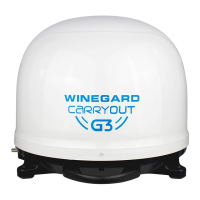
5 Carryout G3 Portable TV Antenna
If a problem persists, contact Winegard Technical Services at info@solidsignal.com or 1.877.312.4547


 To Next Page
 Loading...