8
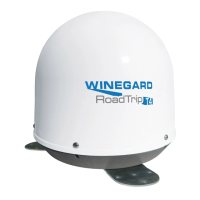
The RoadTrip Mission
antenna does not
attempt to nd a satellite or it never moves.
The dish never stops on any of the signals
that it sees.
1. Check +12 V wires at unit to verify the quick
disconnect is locked into the socket.
PROBLEM
SOLUTION
1. Make sure that your receiver is set up correctly.
For DISH NETWORK, the check switch should read either
“Unknown” or “SW64”.
For DIRECTV, the receiver should be set for a Two Satellite
Oval Dish. In some cases, the ‘Two satellite’ option may not
be available. In these cases, select Three satellite oval.
2. Make sure the Main coax cable from antenna is run to
“satellite in” on back of your receiver and all coax connections
are made properly.
With DIRECTV, the dish will nd the alternate
satellite but it never nds the primary satellite.
I am not getting all the DISH Network channels
I subscribed to.
The RoadTrip Mission antenna never sees any
signals, it just keeps searching.
Make sure that the Switches on the Electronics Control Box are
set for DIRECTV. See page 3. These switches are found under
the dome, inside the Electronics Control Box.
Go to the check switch menu in receiver. Make sure that it’s set for
SW64 and lists both even and odd transponders on satellites 110°,
119° and 129°.
1. Rain, snow or excessive dew on the dome can interrupt the
signal. Snow and dew can be brushed off the dome. If heavy rain
or snowfall is blocking the signal, it may be necessary to wait until
the weather clears.
2. Check to see if the southern sky is clear. Trees, buildings, large
signs or an overpass can block the signal. Find an area where you
can be sure that this is not the problem and try again.
3. Run a single, good coax cable directly from the RoadTrip
Mission to the satellite receiver by-passing everything.
4. Make sure the receiver has power and the satellite dish is
connected to the “Sat In” jack.
I have switched satellite service providers. How
do I set my dish for my new provider?
You will need to remove the dome, and set switches to correct
provider. See page 3.
My receiver appears to be locked up. I cannot
get any response from it.
1. Power off receiver and turn back on.
2. Hold in power button on receiver for three seconds and release.
3. Unplug receiver from outlet for 20 seconds and plug back in.
With DISH Network, my RoadTrip Mission
antenna appears to lock onto signal, but my
receiver does not show a picture or a signal
reading.
Check the “Check Switch” installed in your receiver. If anything
other than “Unknown” or “SW64” is installed, please run the
“Check Switch” test. See page 6 for help running this check.
Troubleshooting
The DIRECTV receiver shows a signal but
the RoadTrip Mission antenna never stops
searching.
Exit the receiver menu screens and try running the search from
the program guide screen.



 To Next Page
 Loading...