
 Need help?
Do you have a question about the WINK PWHUB-WH18 and is the answer not in the manual?
Download the Wink app for iOS or Android and create a Wink account.
Plug in the Wink HUB at least 5 feet from any other WiFi device to avoid interference.
Open the app, select Add a product, choose Wink HUB, and follow in-app instructions.
Enter WiFi credentials for your 2.4ghz network. Router security may need configuration.
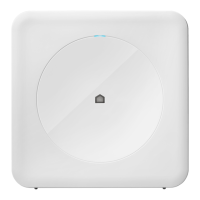
Light blinks amber during setup/WiFi connection; solid blue when connected.
Once connected, the hub is ready for other product connections.
Receive notifications for new security improvements and bug fixes for the Wink HUB.
Unplug and replug the Wink HUB to restart the setup process if needed.
Check range (5-15 ft) and power cycle your Wink HUB if it appears offline.
Problem with account info. Check password/username, including case and spaces.
Check product power/batteries, range, and Wink HUB status. Re-pair if needed.
Advanced controls for Z-wave networks, facilitating device movement between controllers.

 To Next Page
 General