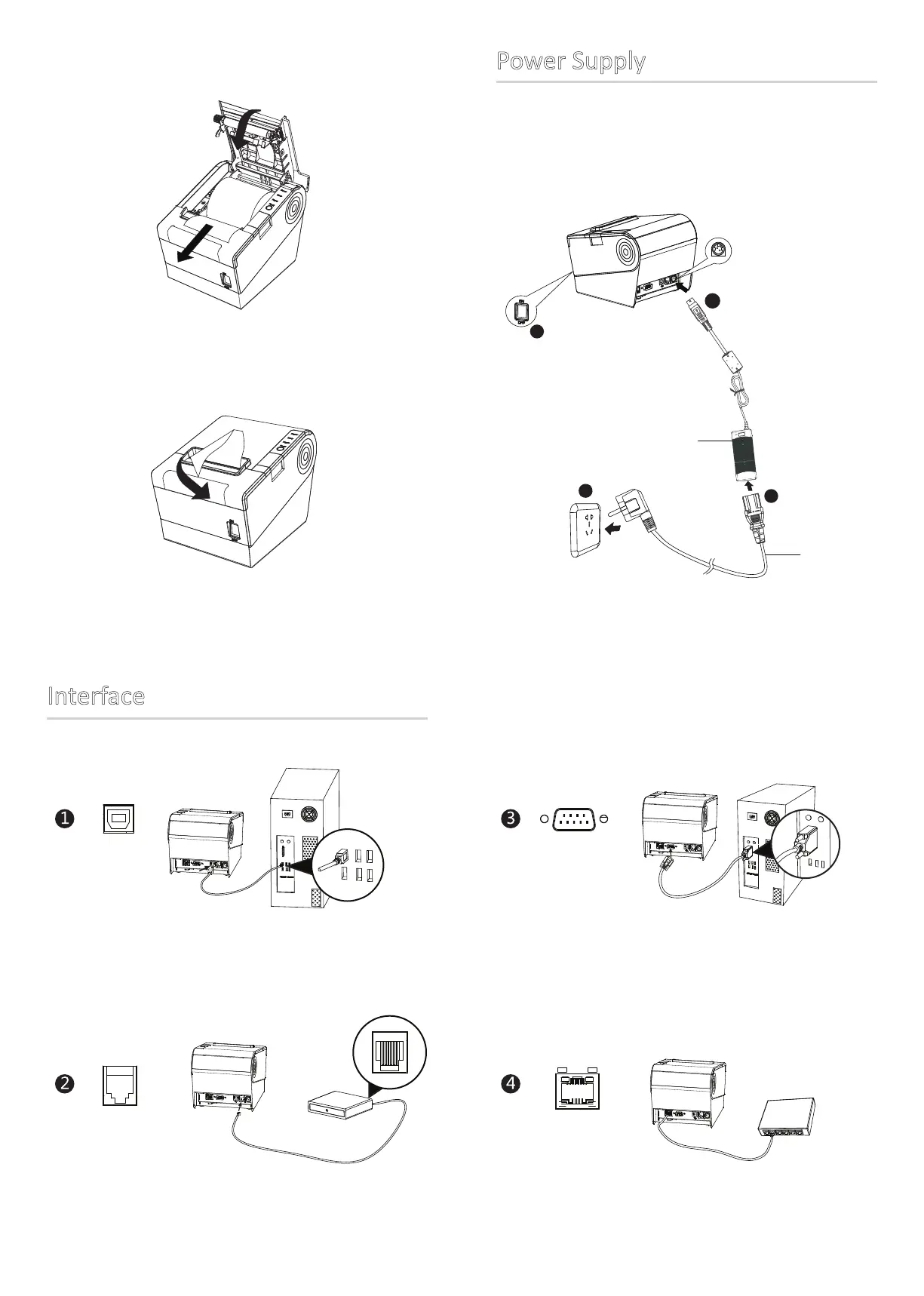
3. Pull out some roll paper and close the printer cover.
4. Tear the extra paper in the direcon of printer.
Power Supply
1. Make sure the printer is in “OFF”.
2. Connect power adapter to printer.
3. Connect power adapter to power cord.
4. Plug the other side of power cord into the socket nearby.
1
Interface
2
3
Power Cord
Power Adapter
4



 To Previous Page